

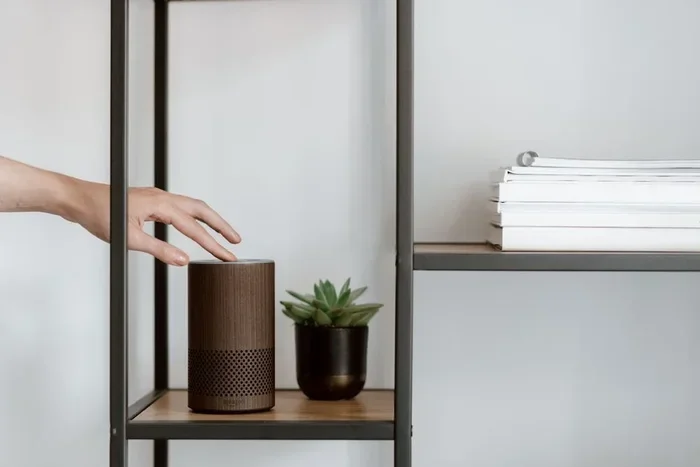
Turning off Amazon Alexa delivery notifications is simple and quick. You can mute delivery alerts through the Alexa app, voice commands, or device settings. This guide walks you through every method so you can stop constant package alerts. Take control of your Alexa notifications and enjoy a peaceful home.
Amazon Alexa has become a staple in many households. It helps with timers, music, smart home control, and more. But one feature that often catches people off guard is the delivery notification. You know the one. Alexa suddenly announces, “Your Amazon package has been delivered,” right in the middle of a conversation. It can be startling and annoying. If you have been searching for a way to stop this, you are in the right place.
This guide covers everything you need to know about Amazon Alexa delivery notification settings. You will learn how to turn them off, customize them, and take back control of your Alexa experience. Whether you use an Echo Dot, Echo Show, or any other Alexa device, these steps apply to all of them.
Key Takeaways
- Multiple methods exist: You can turn off Alexa delivery notifications via the app, voice commands, or device settings.
- It only takes a few minutes: The process is quick and does not require technical expertise.
- You stay in control: Customizing notifications lets you keep the alerts you want and silence the rest.
- Voice commands work great: Saying a simple phrase can disable delivery alerts instantly.
- App settings give precision: The Alexa app lets you fine-tune notification preferences for each device.
- No impact on other features: Turning off delivery notifications does not affect other Alexa functions.
📑 Table of Contents
- Why Alexa Delivery Notifications Can Be Annoying
- How to Turn Off Alexa Delivery Notifications Using the App
- Using Alexa Voice Commands to Manage Notifications
- Customizing Alexa Notification Settings for Your Needs
- What Happens When You Turn Off Delivery Alerts
- Tips for Managing Alexa Notifications Long-Term
- Final Thoughts
Why Alexa Delivery Notifications Can Be Annoying
Alexa delivery notifications are designed to be helpful. They alert you when a package arrives at your door. However, there are times when these alerts are more trouble than they are worth. Maybe you share your Alexa device with family members. Maybe you work from home and do not need real-time updates. Or perhaps you simply prefer to check your delivery status on your phone.
Here are some common reasons people want to silence these alerts:
- Unexpected interruptions: Alexa can announce deliveries during meetings, calls, or quiet moments.
- Too frequent: If you order often, the constant alerts become background noise.
- Privacy concerns: Delivery details are shared out loud in your home.
- Multiple devices: Every Alexa device in your home may announce the same delivery.
Understanding why these notifications bother you helps you choose the right solution. The good news is that Amazon gives you several ways to manage them.
How to Turn Off Alexa Delivery Notifications Using the App
The Alexa app on your phone is the most powerful tool for managing notifications. Follow these steps to silence delivery alerts through the app.
Step-by-Step Guide
- Open the Alexa app on your smartphone or tablet.
- Tap the Devices icon at the bottom of the screen.
- Select Echo & Alexa to see all your connected devices.
- Choose the specific device you want to adjust.
- Tap the gear icon to open device settings.
- Scroll down and tap Notifications.
- Look for Amazon Notifications or Delivery Updates.
- Toggle off the Delivery Alerts switch.
That is it. Your Alexa device will no longer announce incoming deliveries. Repeat these steps for each device if you want to turn off notifications across your entire smart home setup.
Quick Tip: If you only want to silence notifications on one device, make sure you select that specific device in the app before changing settings. This way, other Alexa devices in your home will continue to function normally.
Using Alexa Voice Commands to Manage Notifications
Not everyone wants to dig through the app. Alexa voice commands offer a fast and hands-free alternative. You can use simple phrases to adjust your notification settings without touching your phone.
Voice Commands That Work
- “Alexa, turn off delivery notifications.”
- “Alexa, disable Amazon alerts.”
- “Alexa, stop announcing my packages.”
- “Alexa, mute Amazon notifications.”
These commands may vary slightly depending on your Alexa device and software version. If a command does not work, try rephrasing it or check the Alexa app for the exact option. Amazon regularly updates Alexa’s voice command capabilities, so new commands may become available over time.
Expert Insight: Voice commands are great for quick changes, but the app gives you more detailed control. For the best results, use both methods together.
Customizing Alexa Notification Settings for Your Needs
Turning off all notifications might be too extreme. What if you still want to know about important Amazon updates but not every single delivery? Alexa lets you customize your notification preferences with precision.
Granular Control Over Alerts
In the Alexa app, under Notifications settings, you will find different categories of Amazon alerts. Here is what you can typically adjust:
- Delivery announcements: Alerts when a package arrives.
- Shipping updates: Notifications when your package ships.
- Delivery delay alerts: Warnings about late deliveries.
- Amazon promotions: Deals and offers sent through Alexa.
You can mix and match these settings. For example, you might want to keep shipping updates on but turn off delivery announcements. This level of customization ensures you only hear what matters to you.
Common Mistake: Many people turn off all notifications at once and then miss important updates like delivery delays. Always review each category individually before making changes.
What Happens When You Turn Off Delivery Alerts
A common concern is whether turning off delivery notifications affects other Alexa features. The short answer is no. Disabling delivery alerts does not impact your ability to use Alexa for music, smart home control, timers, or any other feature.
However, there are a few things to keep in mind:
- You will not hear Alexa announce deliveries. You will need to check the Amazon app or website for updates.
- Other Amazon alerts may still work depending on what you customized.
- You can always turn notifications back on by following the same steps in reverse.
Think of it as a volume knob for your Alexa experience. You decide how much information you want and when you want it.
Tips for Managing Alexa Notifications Long-Term
Managing notifications is not a one-time task. As your shopping habits change or you add new Alexa devices, you may need to revisit your settings. Here are some tips to stay on top of your notification preferences.
Keep Your App Updated
Amazon frequently updates the Alexa app with new notification options. Keeping your app current ensures you have access to the latest features and settings.
Check Settings After Software Updates
Sometimes Alexa software updates reset notification preferences. After a major update, take a few minutes to review your settings and make sure everything is still configured the way you want it.
Use Alexa Routines for Smart Automation
Amazon Alexa Routines let you automate tasks based on triggers. You can create a routine that automatically silences notifications during certain hours, like during work hours or at night. This adds another layer of convenience to your smart home setup.
Explore Third-Party Integrations
If you use Amazon Alexa alongside other smart home platforms, check if those integrations offer additional notification controls. Some third-party apps provide more granular management of Alexa alerts.
Key Takeaway: Staying proactive with your notification settings saves time and frustration. A quick check every few weeks keeps everything running smoothly.
Final Thoughts
Learning how to turn off Amazon Alexa delivery notification alerts gives you more control over your smart home experience. Whether you use the Alexa app, voice commands, or device settings, the process is straightforward and takes only a few minutes. You do not have to live with constant package announcements disrupting your day. Customize your notifications, silence what you do not need, and enjoy a more peaceful home. The power is in your hands, and your Alexa device will thank you for it.
Frequently Asked Questions
Can I turn off Alexa delivery notifications for just one device?
Yes, you can. Open the Alexa app, select the specific device, go to Settings, then Notifications, and toggle off delivery alerts for that device only. Other Alexa devices in your home will continue to receive notifications unless you change their settings separately.
Will turning off delivery notifications affect my Amazon Prime benefits?
No, it will not. Turning off Alexa delivery notifications only stops the announcements on your Alexa device. Your Amazon Prime membership, shipping benefits, and delivery tracking all remain fully active and unaffected.
Can I schedule Alexa notifications to be quiet during certain hours?
Yes, you can use Alexa Routines to set quiet hours. Create a routine that activates during specific times and set notification muting as part of the routine. This way, Alexa stays silent during meetings, sleep hours, or any time you prefer.
Do I need the Alexa app to turn off delivery notifications?
The Alexa app provides the most detailed control, but you can also use voice commands to disable delivery notifications quickly. Voice commands are convenient for quick changes, while the app is better for fine-tuning your preferences.
What if the voice command to turn off notifications does not work?
Voice commands can vary by device and software version. If a command does not work, try the Alexa app instead. You can also check Amazon’s official support page for the latest voice command options and updates.
Can I still track my packages if I turn off Alexa notifications?
Absolutely. Turning off Alexa delivery notifications only stops the audio announcements. You can still track your packages through the Amazon app, Amazon website, or by checking your email for shipping updates and delivery confirmations.
=== CONCLUSION ===
Turning off Amazon Alexa delivery notifications is easy, fast, and gives you back control of your home. Whether you use the Alexa app, voice commands, or device settings, you now have everything you need to silence those constant package alerts. Start with the steps in this guide, customize your preferences, and enjoy a quieter, more peaceful smart home experience. Your Alexa device is a powerful tool, and now you know exactly how to make it work the way you want it to.