

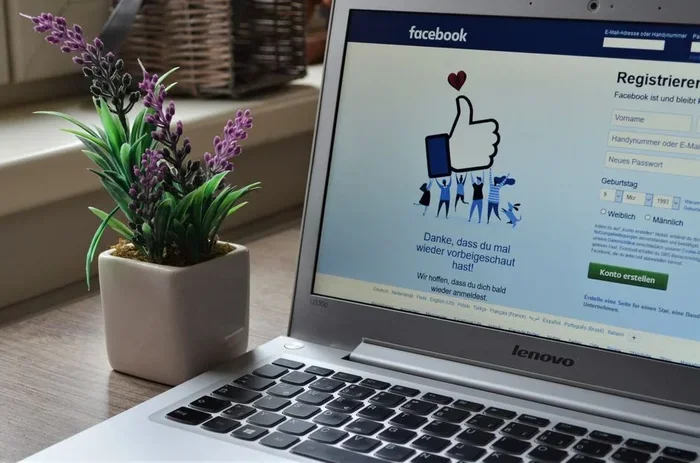
Many people wonder can someone find out how many times you view a Facebook page. The answer is no for regular users. Facebook keeps your page viewing history private and does not share it with page owners or other users.
Have you ever wondered can someone find out how many times you view a Facebook page? It is a question many people ask, especially those who care about their online privacy. The short answer is no, not for regular users. But the full story has some interesting twists that are worth exploring.
When you browse a Facebook page, whether it is a brand page, a celebrity profile, or a public figure’s page, Facebook does not share that information with the page owner. This is different from personal profiles, where things can get more complicated. Understanding how Facebook handles page views helps you browse with confidence and peace of mind.
Many people also wonder about Facebook page views and what data Facebook actually collects. The truth is that Facebook tracks a lot of information, but it keeps your page viewing habits private. Let us break down exactly what happens when you visit a Facebook page and what you can do to stay safe.
Key Takeaways
- No One Can See Your Facebook Page Views: Facebook does not share individual page view data with page owners or other users.
- Page Owners Only See Aggregate Stats: Facebook Insights shows total views, not individual viewer names or visit counts.
- Third-Party Apps Are Scams: No app can track who views your Facebook page. Avoid them to protect your account.
- Privacy Settings Help You Stay Safe: Reviewing your Facebook privacy settings gives you more control over your data.
- Anonymous Browsing Is Possible: Using private mode, logging out, and clearing cookies helps you browse without being tracked.
- Facebook Does Not Send View Notifications: Nobody gets notified when someone visits their page or profile.
- Your Activity Log Stays Private: Facebook records your views internally but never exposes them to others.
📑 Table of Contents
How Facebook Tracks Page Views
Facebook uses tracking technology to gather data about how users interact with its platform. When you visit a page, Facebook records certain actions behind the scenes. But here is the key part: not all of that data becomes visible to others. The platform collects information for its own purposes, but it does not expose individual viewing habits to page owners.
What Facebook Records Behind the Scenes
Facebook logs your activity through its activity log. This includes things like likes, comments, shares, and the pages you visit. However, this information stays on your account. Facebook uses it to improve your feed and show you relevant content. The platform does not send a report to page owners about who visited and how often. Your Facebook activity log remains private unless you choose to share it yourself.
What Page Owners Actually See
Page owners have access to Facebook Insights and Facebook Analytics. These tools show them overall statistics like reach, engagement, and likes. They can see how many people viewed their page in total. But they cannot see individual viewer names or how many times a specific person visited. This is a deliberate privacy feature built by Facebook. The Facebook page statistics are designed to help businesses grow, not to spy on individual users.
Quick Tip: Page owners can only see aggregate data, not individual viewer details. This means your personal browsing habits stay hidden from them.
Can Someone Find Out How Many Times You View a Facebook Page?
The idea that someone can peek into your viewing habits is a common concern. Let us look at what is true and what is not.
Personal Profiles vs Public Pages
When it comes to personal profiles, Facebook used to show a profile visitors feature. However, that feature no longer exists in its original form. Today, Facebook does not allow users to see who viewed their profile. This applies to both personal profiles and public pages. You can browse freely without worrying about being tracked by name. The Facebook viewer visibility settings keep your activity hidden from others.
Third-Party Apps and Myths
Be careful of apps that claim to show who viewed your Facebook page. Many of these are scams. They may ask for your login details and steal your data. Facebook has officially stated that no third-party app can track profile or page viewers. Always avoid these tools to protect your account and your social media privacy.
Common Mistake: Downloading apps that promise to reveal your Facebook viewers. These apps often compromise your account security and violate Facebook’s terms of service.
Privacy Settings That Protect You
Facebook offers several privacy tools that help you control your data. Using these settings wisely keeps your browsing habits hidden from unwanted eyes.
- Activity Log: Review what Facebook has recorded about your visits and interactions.
- Privacy Checkup: Walk through Facebook’s guided privacy settings to tighten your security.
- Ad Preferences: Control how Facebook uses your data for targeted advertising.
- Two-Factor Authentication: Add an extra layer of security to your account.
Taking five minutes to review these settings can make a big difference. You will feel more in control of your online presence and Facebook privacy settings. It is one of the best ways to protect your data.
Tips for Anonymous Browsing on Facebook
Want to browse Facebook pages without leaving a trace? Here are some practical tips that actually work.
- Use your browser’s private mode. This prevents Facebook from saving cookies that track your visits. It is a simple way to practice anonymous browsing Facebook style.
- Log out before visiting pages. This makes your visits harder to link to your account. Without being logged in, Facebook has less data to collect.
- Clear your cookies regularly. This removes stored data that Facebook uses to remember your activity. It helps maintain your private Facebook browsing habits.
- Avoid clicking suspicious links. Some links track your behavior even after you leave Facebook. Stick to trusted sources when browsing pages.
These steps are simple but effective. They give you an extra layer of protection when browsing pages you do not want anyone to know about. Page view tracking by other users becomes impossible when you take these precautions.
Expert Insight: According to Facebook’s own privacy policy, the company collects data to improve user experience but does not share individual page view counts with page owners or third parties.
Common Myths About Facebook Views
There is a lot of misinformation about Facebook tracking. Let us clear up the most common myths so you can browse with confidence.
- Myth: Facebook sends a notification when someone views your page. Truth: Facebook does not do this. No one gets notified about page views, ever.
- Myth: Third-party apps can reveal your viewers. Truth: These apps are almost always scams. They cannot access Facebook’s internal data or tracking systems.
- Myth: You can see who viewed your profile through settings. Truth: Facebook removed this feature years ago. It does not exist anymore on the platform.
- Myth: Using a VPN hides your Facebook views completely. Truth: A VPN hides your IP address, but Facebook still tracks your activity if you are logged in to your account.
Knowing the truth helps you make smarter choices about how you use Facebook. It also keeps you safe from misleading apps and websites that promise the impossible. Understanding how Facebook tracks views empowers you to use the platform more wisely.
Final Thoughts on Facebook Page View Privacy
So, can someone find out how many times you view a Facebook page? The answer remains a clear no for everyday users. Facebook keeps your viewing history private. Page owners see only broad statistics, not individual data. By using the right privacy settings and staying away from scam apps, you can browse with full confidence.
Your online privacy matters. Taking a few simple steps goes a long way in keeping your Facebook activity safe and hidden from prying eyes. Stay informed, stay cautious, and enjoy your time on the platform without worry. Knowledge is your best defense when it comes to Facebook page views and digital privacy.
Frequently Asked Questions
Can a Facebook page owner see who viewed their page?
No, a Facebook page owner cannot see individual viewers. They can only access aggregate data through Facebook Insights, such as total page views, reach, and engagement metrics. Individual visitor identities are never shared with page owners.
Does Facebook notify anyone when you visit a page?
No, Facebook does not send notifications to page owners or other users when you visit a page. Your page views remain completely private. This is a core part of Facebook’s privacy design for regular users.
Can third-party apps track Facebook page views?
No, third-party apps cannot track Facebook page views. Facebook has explicitly stated that no external application has access to viewer data. Apps that claim to do this are almost always scams designed to steal your login credentials.
How can I browse Facebook pages anonymously?
You can browse anonymously by using your browser’s private or incognito mode, logging out before visiting pages, clearing your cookies regularly, and avoiding suspicious links. These steps reduce the data Facebook can associate with your browsing activity.
Is there a way to see how many times I viewed a Facebook page?
Facebook does not provide a feature that shows you how many times you have viewed a specific page. Your activity log records some interactions, but it does not track or display your page visit count. This information stays internal to Facebook’s systems.
Does using a VPN hide your Facebook page views completely?
A VPN hides your IP address, which adds a layer of privacy. However, if you are logged into your Facebook account, Facebook still tracks your activity on its platform. A VPN does not prevent Facebook from recording your page views internally.