

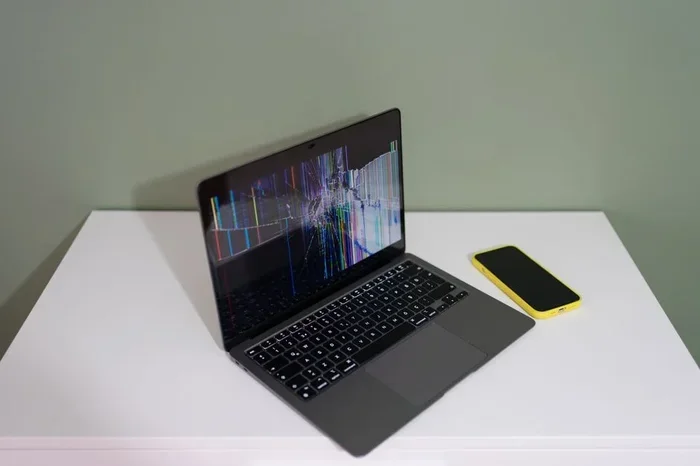
Losing access to your phone numbers after a device breaks can be stressful, but getting numbers off your broken cell phone is often possible with the right approach. You can recover contacts from your SIM card, use cloud backups, or employ phone recovery software to retrieve lost data. This guide covers every practical method to help you restore your important contact numbers quickly and safely.
A broken cell phone can feel like a real headache. You might worry about losing important phone numbers and contact details forever. But the truth is, getting numbers off your broken cell phone is often easier than you think.
Whether your screen is cracked, the device won’t turn on, or water damage has taken its toll, your contacts may still be recoverable. The method you choose depends on how badly the phone is damaged and what type of device you own.
In this guide, we will walk you through the best ways to retrieve phone numbers from a broken device. You will learn practical steps that work for both Android and iPhone users. Let us get started.
Key Takeaways
- Check Your SIM Card First: Many phones store contacts on the SIM, which you can access with another device even if the screen is broken.
- Use Recovery Software: Tools like Dr.Fone and PhoneRescue can extract data from damaged phones through a USB connection.
- Try Cloud Backups: Google and iCloud may already have your contacts saved online and ready to restore.
- Visit a Professional Repair Shop: Experts can sometimes retrieve data even from severely damaged devices using specialized tools.
- Act Quickly: The sooner you attempt recovery, the better your chances of successfully getting your numbers back.
- Prevent Future Loss: Regular cloud backups and protective accessories can save you from this stressful situation again.
📑 Table of Contents
How Can I Get Numbers Off My Broken Cell Phone
Why It Matters
Your contact list is one of the most valuable things stored on your phone. It includes phone numbers of family, friends, doctors, and work colleagues. Losing these lost contact numbers can cause real problems in your daily life.
There are many reasons phones break. You might drop it on a hard floor. Water can spill on it. The screen can crack from impact. Sometimes the phone simply stops working after years of use. No matter the cause, the need to recover phone contacts remains the same.
When you get numbers off your broken cell phone, you are not just saving digits. You are preserving connections that matter to you. The faster you act, the better your chances of full contact restoration.
Common Causes of Phone Damage
Phones break in many ways. Drops are the most common cause. Water damage happens often too. Extreme heat or cold can also harm internal parts. Sometimes batteries swell and damage the screen. Understanding the cause helps you choose the right recovery method for your damaged smartphone.
Check Your SIM Card for Saved Numbers
The SIM card is a small chip inside your phone. It stores important data, including some of your contacts. Many people do not realize that their SIM card holds phone numbers even when the phone screen is broken.
How SIM Cards Store Contact Data
SIM cards have limited storage space, usually around 250 to 500 contacts. But for many people, that is enough to hold the most important numbers. When you save a contact to your SIM, it stays there even if the phone stops working.
This makes the SIM card one of the easiest ways to extract phone numbers from a damaged device. You do not need the phone screen to work. You just need another phone or a SIM card reader to access the SIM card data.
How to Access SIM Card Contacts
To check your SIM card contacts, follow these simple steps:
- Turn off your broken phone and remove the SIM card.
- Place the SIM card into another working phone.
- Open the contacts app and look for the SIM card folder.
- Copy the numbers you need to your new phone.
- Alternatively, use a USB SIM card reader connected to a computer.
This method works best for broken Android phones and older iPhone models. If your SIM card is physically damaged, you may need a replacement card from your carrier.
Use Phone Recovery Software to Extract Data
If your SIM card does not have the numbers you need, do not worry. Phone recovery software can help you retrieve data directly from the phone’s internal storage. These tools are designed to work even with damaged screens and non-functioning devices.
Best Recovery Tools for Broken Phones
Several trusted programs can help you recover phone contacts from a broken device:
- Dr.Fone – Works with both Android and iPhone. It can scan your phone through USB and extract contacts.
- iMobie PhoneRescue – Great for iPhone users. It recovers data without needing the screen to function.
- Tenorshare UltData – Supports many phone models and can restore deleted or lost contacts.
- DiskDigger – A free option for Android users who need basic contact recovery.
Step-by-Step Recovery Process
Here is a simple process to follow for phone number retrieval:
- Download and install the recovery software on your computer.
- Connect your broken phone to the computer using a USB cable.
- Enable USB debugging if your Android phone allows it.
- Run a scan of your phone’s internal storage.
- Preview the recovered contacts and select the ones you need.
- Save the numbers to your computer or transfer them to a new phone.
Keep in mind that results vary based on the level of damage. The less damage to the internal memory, the better your chances of a full phone data recovery.
Try Cloud Backup Options
Cloud backups are a lifesaver when your phone breaks. If you had backup turned on, your contacts may already be safe online. You can access them from any device with internet access. This is one of the simplest forms of backup contacts protection.
Google Contacts and Android Users
If you use an Android phone, your contacts are likely synced with your Google account. To check, simply go to contacts.google.com on any browser. Log in with your Google account and you should see all your saved contacts there.
This is one of the easiest ways to retrieve phone numbers from a broken device. You can then export the contacts or sync them to a new phone. Make sure your Google contacts sync was turned on before the phone broke.
iCloud and iPhone Users
iPhone users can check their iCloud backup for saved contacts. Go to icloud.com on a computer or another device. Sign in with your Apple ID and open the Contacts app. All your synced contacts should be there.
If you had iTunes backup enabled, you can also restore contacts through iTunes on your computer. This method works even if your broken iPhone cannot be turned on.
Visit a Professional Phone Repair Shop
When DIY methods do not work, a professional can help. Phone repair shops have the tools and expertise to access data from damaged devices. They deal with broken screen repair and data extraction every day.
What to Expect at a Repair Shop
When you visit a phone repair shop, the technician will first assess the damage. They will check if the phone’s internal memory is still intact. Then they will attempt to extract your contact data. This process may take a few hours or up to a couple of days.
Most repair shops offer a free or low-cost diagnostic check. You will know the options and costs before they start any work. Always ask about their data recovery success rate before handing over your device.
How Experts Extract Data from Damaged Phones
Professionals use specialized tools to read the phone’s memory chip directly. They can bypass a broken screen or damaged motherboard in some cases. For broken iPhone or Android devices, they may use chip-off techniques or JTAG methods to retrieve your stored contacts. This process is called phone data recovery and it offers excellent results for severely damaged phones.
This option can be more expensive than DIY methods. But it offers the highest chance of success for phones that cannot be turned on at all.
Prevent Future Data Loss
Once you have recovered your numbers, take steps to prevent this problem in the future. Building good backup habits can save you from the stress of lost contacts again.
Regular Backup Habits
Set your phone to automatically back up contacts to the cloud. Both Android and iPhone offer built-in sync options. Turn on Google contacts sync for Android or iCloud sync for iPhone. This way, your numbers are always safe online.
You should also manually export your contacts to a computer or email address once a month. This creates an extra layer of protection. If anything goes wrong with your phone, you will have a recent copy of all your numbers.
Protect Your Phone from Damage
Use a sturdy phone case and screen protector. These simple accessories can prevent many common accidents. Avoid exposing your phone to water or extreme temperatures. Keep your phone away from small children and pets when possible.
Consider enabling find my phone features too. These tools help you locate or remotely wipe your device if it is ever lost or stolen.
Conclusion
Losing access to your phone numbers does not mean they are gone forever. You have many options to get numbers off your broken cell phone. Start with your SIM card, then try cloud backups and recovery software. If those methods fail, a professional repair shop can help. The key is to act quickly and try the methods in order of simplicity. With the right approach, you can restore your important contacts and stay connected to the people who matter most.
Frequently Asked Questions
Can I Get Numbers Off a Phone With a Cracked Screen?
Yes, a cracked screen does not usually affect the data stored inside your phone. You can connect the phone to a computer and use recovery software to extract contacts. If the touch screen is unresponsive, try using a USB mouse or keyboard to navigate. You can also access SIM card contacts through another phone.
Do I Need Special Software to Recover Contacts?
Not always. If your contacts were synced to Google or iCloud, you can access them through any web browser. However, recovery software like Dr.Fone or PhoneRescue is very helpful when the phone cannot turn on or the screen is completely broken. These tools can read data directly from the phone’s storage chip.
How Much Does Professional Data Recovery Cost?
Costs vary depending on the damage and the service provider. Simple diagnostic checks are often free. Full data extraction from a damaged phone can range from $100 to $300 or more. Always ask for a quote before committing. Some repair shops offer a no-recovery, no-fee policy.
Can I Get Numbers Off a Water-Damaged Phone?
Water damage makes recovery more challenging, but it is not impossible. The key is to act quickly and avoid turning the phone on, which can cause further damage. Take the phone to a professional immediately. They can dry the internal components and attempt to extract your contact data safely.
How Long Does Phone Data Recovery Take?
DIY methods can take anywhere from 15 minutes to an hour, depending on the tool and the amount of data. Professional recovery typically takes one to three business days. Cloud backup restoration is almost instant if you have a stable internet connection. The timeline depends on the method you choose and the extent of the damage.
What Should I Do First When My Phone Breaks?
Do not panic. First, try to access your SIM card contacts using another phone. Then check your cloud backups through Google or iCloud. If those do not work, download recovery software and connect your phone to a computer. Acting quickly gives you the best chance of a successful recovery.