

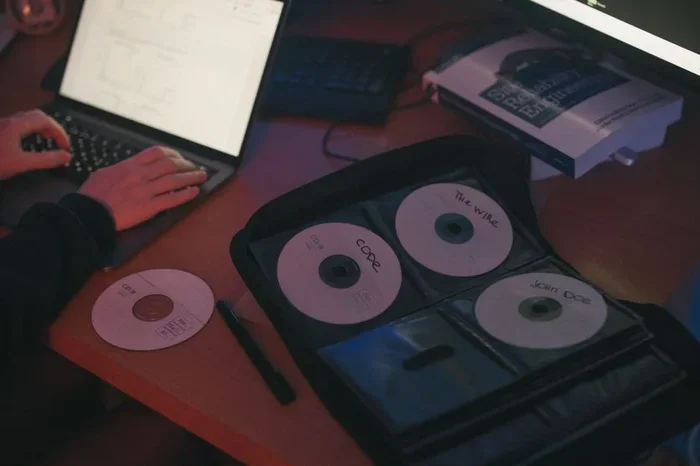
You can recover data from a cracked CD using several simple and effective methods. Whether your disc has a small scratch or a deep crack, the right approach can save your files. From cleaning and polishing to using specialized software, this guide walks you through every option. You will learn practical steps, common mistakes to avoid, and expert tips that make the process easy and successful.
Losing files stored on a cracked CD can feel devastating. Those discs often hold photos, music, documents, and memories that cannot be replaced. The good news is that you do not need to panic. Recovering data from a cracked CD is possible in most cases, and you do not need expensive equipment to get started.
Over the years, CDs have been a popular way to store and share digital content. Despite their durability, optical discs can crack, scratch, or warp over time. Heat, improper storage, and general wear and tear all contribute to disc damage. When a CD cracks, the laser in your drive struggles to read the data stored on the disc surface. This leads to read errors, freezing, or complete failure to access files.
The good news is that several methods work well for cracked CD data recovery. Some approaches take just a few minutes, while others require a bit more effort. This guide covers every practical option so you can choose the best path for your situation. Let us dive in and get your files back.
Key Takeaways
- Clean your CD first: Removing dust and debris is the essential first step before any recovery attempt.
- Try a CD repair kit: These affordable kits can fill cracks and smooth out scratches effectively.
- Use data recovery software: Programs like ISO Buster and CDCheck can extract files even from damaged discs.
- Copy data to a new disc: Ripping the cracked CD to a fresh disc or digital folder is often the fastest solution.
- Avoid common mistakes: Never use abrasive materials or apply too much pressure when cleaning a cracked disc.
- Consider professional help: For irreplaceable data, professional disc recovery services offer the best chance of success.
📑 Table of Contents
Understand Why CDs Become Cracked and Unreadable
Before you start the recovery process, it helps to understand what caused the damage. CDs have a thin reflective layer sandwiched between protective polycarbonate plastic. When a disc cracks, this layer breaks, and the laser cannot follow the data tracks properly. Even a small crack can disrupt the entire reading process.
Common causes of cracked discs include:
- Dropping the CD on a hard surface
- Exposing the disc to extreme heat or sunlight
- Storing CDs in humid or damp environments
- Using low-quality CD cases that apply pressure
- Wear and tear from repeated use over time
Knowing the cause matters because it affects your recovery strategy. A clean crack behaves differently from a shattered disc. Assessing the damage first helps you pick the right method and avoid making things worse.
Step-by-Step Methods to Recover Data From a Cracked CD
Method 1: Clean the Disc Thoroughly
The simplest step often gets overlooked. Dust, fingerprints, and debris on a cracked CD can prevent your CD drive from reading any data at all. Start by gently wiping the disc with a soft, lint-free cloth. Always wipe from the center outward, never in circular motions. This follows the natural track pattern of the disc.
For stubborn grime, use a small amount of CD cleaning solution or a mix of distilled water and isopropyl alcohol. Apply it lightly and let the disc air dry completely before attempting to read it again. Clean discs have a much better chance of being recognized by your drive.
Method 2: Use a CD Repair Kit
CD repair kits are widely available and very affordable. These kits typically include a special liquid and a polishing cloth. The liquid fills in small cracks and scratches, creating a smoother surface for the CD reader to scan.
Here is how most kits work:
- Clean the disc with a soft cloth
- Apply the repair solution to the cracked area
- Polish gently in straight lines from center to edge
- Let the disc dry for a few minutes
- Test the disc in your CD drive
Keep in mind that repair kits work best for minor cracks and shallow scratches. Deep cracks or shattered discs may not respond well to this method. But it is still worth trying before moving on to more advanced options.
Method 3: Use Data Recovery Software
If cleaning and polishing do not work, software can often rescue your files. Several programs specialize in digital recovery from damaged optical discs. These tools use error correction algorithms to read whatever data remains on the disc surface.
Popular options include:
- ISO Buster — excellent for extracting files from damaged discs
- CDCheck — scans for errors and attempts to recover readable sectors
- DiscAid — works well with scratched and cracked CDs
- CDRDAO — useful for creating disc images from damaged media
To use these tools, insert the cracked CD into your drive, open the software, and follow the on-screen prompts. The software will attempt to read every sector and save whatever it can to your hard drive. Data extraction from a cracked disc like this often recovers more files than a standard copy attempt.
Method 4: Copy the Data to a New Disc or Digital Folder
Sometimes the fastest solution is to simply copy what you can before the disc deteriorates further. Insert the cracked CD and try to drag and drop files to your computer. Even if the drive reports errors, it may still copy partial data successfully.
You can also use CD ripping software to extract audio tracks or data files. Programs like Exact Audio Copy are designed to handle problematic discs and will skip over unreadable sections while saving everything it can. This method works especially well for music CDs and data discs with minor surface damage.
When to Seek Professional Help
Not every cracked CD can be fixed at home. If the disc is badly shattered or the crack runs through the data layer, professional services may be your only option. Professional disc recovery services have specialized equipment like disc resurfacing machines that can literally polish away layers of damage and read data from discs that appear completely destroyed.
These services can be expensive, but they are worth it for irreplaceable files like family photos or important documents. Look for reputable data recovery companies in your area and ask about their success rate with optical disc recovery before committing.
Common Mistakes to Avoid
When trying to recover data from a cracked CD, certain mistakes can make things worse. Avoid these common pitfalls:
- Using abrasive materials like paper towels or rough cloths to clean the disc
- Applying too much pressure when wiping or polishing a cracked disc
- Ignoring read errors and forcing the disc to spin repeatedly
- Using heat to repair cracks, which can warp the disc further
- Delaying recovery efforts, as cracked discs tend to worsen over time
Patience is your best friend during this process. Go slow, be gentle, and try one method at a time. Rushing the recovery process often leads to permanent data loss.
Quick Tips for Better Results
Here are some expert tips that can improve your chances of successful cracked CD recovery:
- Try the disc on multiple CD drives or computers to rule out a faulty reader
- Work in a clean, dust-free environment to prevent further contamination
- Make a backup of any recovered files immediately to avoid losing them again
- Store recovered data in both digital and physical formats for safety
- Consider disc cloning as a way to create a perfect copy of the remaining readable data
Conclusion
Recovering data from a cracked CD is entirely possible with the right approach and a bit of patience. Whether you choose to clean and polish the disc, use recovery software, or seek professional help, your files have a good chance of survival. Start with the simplest methods and work your way up to more advanced techniques if needed. The most important thing is to act quickly before the damage spreads further. With the steps outlined in this guide, you now have everything you need to attempt cracked CD data recovery at home and save your valuable digital files.
Frequently Asked Questions
Can you recover data from a badly cracked CD?
Yes, in many cases. Professional data recovery services use specialized equipment to extract data from severely damaged discs. For home attempts, data recovery software like ISO Buster can often pull files from badly cracked CDs that standard drives cannot read.
How do you fix a cracked CD so it plays again?
Clean the disc first, then apply a CD repair kit solution to fill the crack. Polish gently from the center outward and let it dry. While this will not make the disc look perfect, it can restore enough of the surface for your CD drive to read the data.
Is it safe to put a cracked CD in a computer drive?
Generally yes, but proceed with caution. A cracked CD can sometimes shatter inside the drive, which may cause damage. If the crack is severe, consider using an external USB CD drive so you can remove the disc easily if problems occur.
What is the best software for recovering data from a scratched CD?
ISO Buster and CDCheck are widely regarded as the best options. Both programs use advanced error correction to read data from scratched and cracked discs. They are free or low-cost and work with most Windows and Mac systems.
Can a cracked CD be copied to a new disc?
Yes, if the CD drive can still read the disc, you can copy the files to a new blank CD or save them to your computer. Using CD ripping software improves success rates because these tools are designed to handle read errors gracefully.
How long does cracked CD data recovery take?
Simple methods like cleaning and software-based recovery take only a few minutes. More involved processes like professional resurfacing or disc cloning may take a few hours. The time depends on the severity of the crack and the method you choose.