

You can tell if you have a bad cable box by watching for flickering screens, error codes, and poor picture quality. A failing set-top box often causes signal loss, audio sync issues, and constant freezing. This guide walks you through the clear signs and simple fixes to bring your TV back to life.
Your cable box sits quietly in the corner, but it does a lot of heavy lifting every day. It decodes signals, pulls up channels, and delivers your favorite shows right to your screen. So when something goes wrong, it can be really frustrating.
How can I tell if I have a bad cable box? That is the question many homeowners ask when their TV starts acting up. The good news is that a failing cable box usually gives you clear warning signs. You just need to know what to look for.
In this guide, you will learn the top symptoms of a bad cable box, what causes them, and the easiest ways to fix the problem. Let us get started.
Key Takeaways
- Flickering or no picture: A bad cable box often shows a blank or flickering screen even when the TV is on.
- Error codes and freezing: Frequent error messages or a frozen screen are strong signs of a failing cable box.
- Poor audio and video sync: When sound and video fall out of step, your cable box may be dying.
- Check your cables first: Sometimes the problem is a loose HDMI or coaxial cable, not the box itself.
- Power light tells the story: A blinking or off power light can mean your cable box is malfunctioning.
- Try a reboot before replacing: A simple power cycle fixes many cable box issues and saves you money.
- Contact your provider: If fixes don’t work, your cable company can run a signal test or send a replacement.
📑 Table of Contents
Common Signs Your Cable Box Is Failing
Your cable box will try to tell you something is wrong before it completely dies. You just need to pay attention to the signals it sends.
Flickering or No Picture at All
One of the most obvious signs is a screen that flickers or goes completely black. If you turn on the TV and see nothing but a blank screen, your cable box may be the culprit. Sometimes the picture comes and goes randomly, which is another red flag.
Try switching to a different input source on your TV. If other devices work fine, the problem likely lives inside the cable box itself.
Freezing and Lagging
A healthy cable box should change channels quickly and smoothly. If your screen freezes mid-show or takes forever to load the channel guide, that is a warning sign. Constant buffering or pixelation also points to a box that is struggling.
Pixelation happens when the picture breaks into small blocks. This often means the cable box cannot decode the signal properly anymore.
Error Codes on the Screen
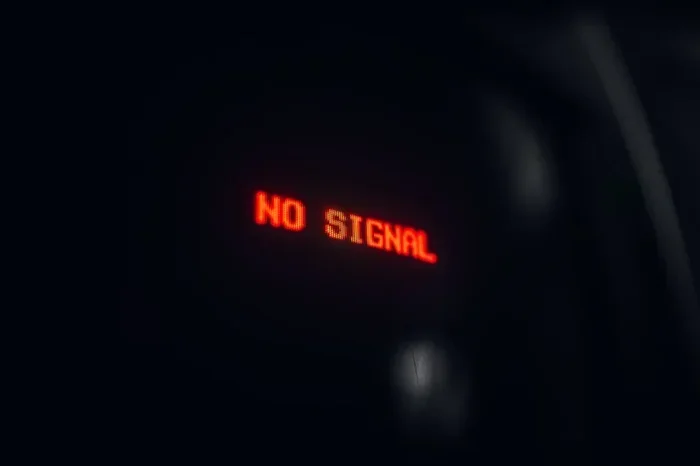
Most cable boxes display error codes when something goes wrong. Codes like “Error 771” or “No Signal” show up frequently with bad cable boxes. If you see the same error over and over, the box is likely failing.
Write down the error code and search it online. Your cable provider’s website often has a list of common codes and their fixes.
Audio and Video Problems
Sound and picture issues are two of the most common complaints with a bad cable box. Here is what to watch for.
Audio and Video Are Out of Sync
When the sound does not match the lip movements on screen, you have an audio sync problem. This happens when the cable box cannot process video and audio at the same speed. It is annoying, and it is a clear sign the box is wearing out.
No Sound or Distorted Audio
If you get no sound at all or hear a buzzing, static-like noise, do not ignore it. A bad cable box can mess with the audio output even when the picture looks fine. Try lowering the volume and then raising it back up. If the distortion stays, the box is probably to blame.
Check the Power Light and Remote
Sometimes the simplest clues are the ones we miss. Your cable box has a small power light on the front that tells you a lot.
What the Power Light Tells You
A solid green or white light usually means the box is working normally. A blinking red light or no light at all means something is wrong. If the box will not turn on even after you plug it in, the internal parts may be dead.
Remote Control Problems
If the remote stops working with the cable box but works with other devices, the issue might be the box, not the remote. Try using the buttons on the box itself. If those do not work either, the cable box has likely failed.
What Causes a Cable Box to Go Bad
Understanding the root cause helps you prevent future problems. Here are the most common reasons a cable box breaks down.
- Age of the device: Most cable boxes last five to seven years. Older models simply wear out over time.
- Power surges: Lightning strikes or electrical surges can fry the internal circuits overnight.
- Overheating: If the box sits in a closed cabinet with no airflow, it can overheat and fail.
- Firmware issues: Outdated software can cause crashes and performance drops.
- Loose connections: A damaged HDMI cable or loose coaxial connection can mimic box failure.
Quick Fixes Before You Replace the Box
Before you call your provider or buy a new box, try these simple steps. Many problems clear up with basic troubleshooting.
- Unplug the cable box from the wall outlet.
- Wait at least 30 seconds. This lets the internal memory reset.
- Plug it back in and wait for the power light to come on.
- Check all cable connections. Make sure the HDMI and coaxial cables are snug and secure.
- Try a different HDMI port on your TV if the picture still does not show up.
A simple reboot fixes a surprising number of cable box issues. It clears temporary glitches and refreshes the connection to your cable provider’s network.
When It Is Time to Replace the Cable Box
If you have tried every fix and the box still misbehaves, it is probably time for a replacement. Here is how to know for sure.
Call your cable provider and describe the symptoms. They can run a remote diagnostic test on your box. If the box is indeed defective, most providers will send you a replacement at no cost, especially if the unit is still under warranty. You can also ask about upgrading to a newer model that supports 4K and streaming apps.
Do not keep a bad cable box if it causes daily frustration. A replacement brings back clear picture quality, smooth channel switching, and reliable performance.
Key Takeaways
- Watch for flickering screens, error codes, and freezing as the top signs of a bad cable box.
- Check the power light on the front of the box to get an early clue about its health.
- Audio sync problems and distorted sound often point to a failing set-top box.
- A simple reboot and cable check can solve many issues before you need a replacement.
- Contact your cable provider for a remote diagnostic test and a free replacement if needed.
Frequently Asked Questions
How long does a cable box usually last?
Most cable boxes work well for five to seven years. After that, they start showing signs of wear like freezing, error codes, and poor picture quality. If your box is older than seven years, consider asking your provider for an upgrade.
Can a bad cable box damage my TV?
No, a bad cable box will not damage your TV. It might show a poor picture or no signal at all, but it poses no risk to your television hardware. You can safely keep the box plugged in while troubleshooting.
Why does my cable box keep restarting on its own?
Constant restarting often means the internal hardware is failing. Overheating, power supply issues, or outdated firmware can all cause this. Try placing the box in a well-ventilated area first. If the problem continues, contact your cable provider for a replacement.
Is it cheaper to buy my own cable box instead of renting?
Yes, buying your own cable box can save money over time. Rental fees typically cost $10 to $15 per month, which adds up fast. Just make sure the box is compatible with your cable provider before you purchase it.
What should I do if a reboot does not fix the problem?
If a simple reboot does not work, check all cable connections and try a different HDMI port. If those steps fail, call your cable provider. They can run a remote test and often send a replacement box to your home at no charge.
Can I use a streaming device instead of a cable box?
Yes, many people are switching to streaming devices like Roku, Fire Stick, or Apple TV. These devices work with your internet connection and do not need a traditional cable box. However, you will still need an active internet connection and may lose access to certain cable-only channels.