

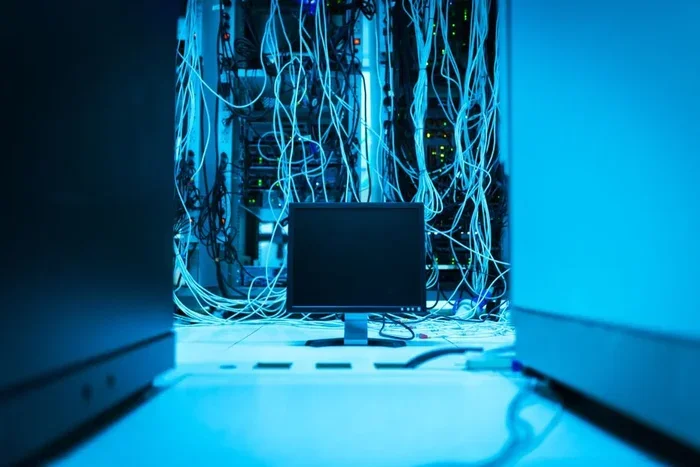
Computer networks connect devices to share data, resources, and communication. This guide breaks down how computer networks work using simple language, real-world examples, and practical tips. You will learn about protocols, hardware, and the different types of networks that power our digital world.
Have you ever wondered how your phone, laptop, and smart TV all talk to each other? The answer lies in computer networks. These systems connect devices so they can share information, access the internet, and communicate seamlessly. Whether you are streaming a movie or sending an email, computer networks make it all possible behind the scenes.
Understanding how computer networks work does not require a degree in engineering. In this guide, we will break everything down into simple, easy-to-digest pieces. By the end, you will have a clear picture of what happens every time you go online. Let us dive in and explore the fascinating world of data transmission and network connectivity.
Key Takeaways
- Computer networks rely on protocols like TCP/IP to send and receive data reliably.
- Routers, switches, and firewalls are essential network devices that direct and protect traffic.
- LAN and WAN are the two main types of networks, each serving different purposes.
- Packet switching breaks data into small chunks for faster and more efficient transmission.
- Understanding network topology helps you design better and faster connections.
- Wireless networking uses Wi-Fi and radio waves to connect devices without cables.
- Network security is critical to protect your data from unauthorized access.
📑 Table of Contents
What Are Computer Networks?
A computer network is a group of devices connected together to share resources and information. These devices can include computers, smartphones, printers, and servers. The connection between them can be wired, using cables, or wireless, using radio signals.
The main goal of any network architecture is to enable communication. Think of it like a postal system. You send a letter, and it travels through various checkpoints before reaching its destination. Computer networks work in a very similar way, but at incredible speeds.
Networks come in all shapes and sizes. A small home network might connect just a few devices. A large corporate network can link thousands of computers across an entire city. No matter the size, the basic principles remain the same.
Why Do We Need Computer Networks?
We need computer networks for several important reasons. First, they allow us to share resources like printers and storage drives. Second, they enable communication through email, video calls, and messaging apps. Third, they give us access to the vast world of the internet.
Without computer networks, every device would be isolated. You would not be able to browse the web, stream content, or even share a file with a friend sitting next to you. Networks are the backbone of our modern digital lives.
How Data Travels Across Networks
When you send an email or load a webpage, your data does not travel as one big block. Instead, it gets broken into small pieces called packets. This process is known as packet switching, and it is fundamental to how computer networks function.
Each packet contains a piece of your data along with routing information. These packets travel independently through the network and arrive at their destination. The receiving device then reassembles them into the original message or file.
This method is incredibly efficient. If one path is busy, packets can take an alternate route. This ensures that data transmission remains fast and reliable, even during peak usage times.
The Role of Protocols
Protocols are the rules that govern how devices communicate. The most important protocol for computer networks is TCP/IP, which stands for Transmission Control Protocol and Internet Protocol.
TCP handles the breakdown and reassembly of data packets. IP handles the addressing and routing of those packets. Together, they ensure that every piece of information reaches the right destination. Other protocols like HTTP, FTP, and DNS also play vital roles in network communication.
Key Network Devices
Several devices work together to keep computer networks running smoothly. Each one has a specific job, and they all rely on each other.
Routers are the traffic directors of a network. They receive packets and decide the best path to send them. A router connects your home network to the internet and manages all incoming and outgoing traffic.
Switches connect devices within a local network. They ensure that data reaches the correct device on the same network. Think of a switch as a smart connector that knows exactly where to send information.
Firewalls protect your network from unauthorized access. They monitor incoming and outgoing traffic and block anything suspicious. For network security, a firewall is absolutely essential.
Access points enable wireless connections. They broadcast Wi-Fi signals so devices can connect without cables. In modern wireless networking, access points are a must-have component.
Types of Computer Networks
Computer networks come in different types based on their size and scope. Let us look at the most common ones.
LAN (Local Area Network) covers a small area like a home, office, or school. It connects devices within a limited space and offers high bandwidth speeds. Most home networks are LANs.
WAN (Wide Area Network) spans large geographic areas. The internet itself is the largest WAN in the world. WANs connect multiple LANs together over long distances using routers and leased lines.
MAN (Metropolitan Area Network) covers a city or a large campus. It is bigger than a LAN but smaller than a WAN. MAN networks are common in universities and large business districts.
PAN (Personal Area Network) is the smallest type. It connects devices within a few meters, like your phone and wireless headphones. Bluetooth is a great example of PAN technology.
Comparing Network Types
Here is a quick comparison of the main network types:
- LAN: Small area, high speed, used in homes and offices
- WAN: Large area, connects cities and countries, the internet is a WAN
- MAN: City-sized, connects multiple LANs within a metro area
- PAN: Very small, personal device connections, uses Bluetooth or infrared
Network Topology Explained
Network topology refers to how devices are arranged and connected in a network. The layout affects performance, reliability, and cost. There are several common topologies used in computer networks today.
Star topology connects all devices to a central hub or switch. It is the most common setup in home and office networks. If one cable fails, only that device loses connection.
Bus topology uses a single main cable to connect all devices. It is simple and inexpensive but can become slow if too many devices are added. Ring topology connects devices in a circular path, where data travels in one direction.
Mesh topology provides multiple connections between devices. This makes it highly reliable because data can take alternative paths if one connection fails. Mesh networks are often used in large enterprise environments.
Wireless Networking Basics
Wireless networking has transformed how we connect to computer networks. Instead of cables, data travels through radio waves. Wi-Fi is the most popular wireless networking technology used today.
Wi-Fi routers broadcast signals that devices can pick up within a certain range. The bandwidth and latency of a wireless connection depend on the router quality, distance, and interference from other devices.
Newer standards like Wi-Fi 6 offer faster speeds and better performance in crowded areas. If you want to improve your wireless networking experience, place your router in a central location and keep it away from thick walls and electronic interference.
Common Mistakes to Avoid
Many people make avoidable mistakes when setting up or using computer networks. Here are a few to watch out for.
First, never ignore network security. Weak passwords and outdated firmware leave your network vulnerable to attacks. Always use strong, unique passwords and keep your router firmware updated.
Second, do not overcrowd a single network segment. Too many devices on one switch or router can cause congestion and slow down data transmission. Use separate networks or VLANs for heavy traffic.
Third, avoid placing your router near metal objects or microwaves. These can interfere with wireless signals and increase latency. A little planning goes a long way in optimizing your network performance.
Quick Tips for Better Network Performance
- Restart your router regularly to clear its memory
- Place your router in an open, central location
- Use an ethernet cable for devices that need stable connections
- Update your router firmware to patch security vulnerabilities
- Monitor your bandwidth usage to identify heavy consumers
- Set up a guest network for visitors to keep your main network secure
Expert Insights on Network Design
Network design is both an art and a science. Experts recommend planning your network architecture with future growth in mind. What works today may not work in two years when you add more devices.
Scalability should always be a priority. Choose equipment that supports higher speeds than you currently need. Invest in quality network devices from reputable brands. And always have a backup plan for critical connections.
Cloud computing has also changed the game. Many businesses now rely on cloud-based services that depend heavily on stable computer networks. A well-designed network ensures smooth cloud access and minimal downtime.
Conclusion
Computer networks are the invisible systems that power our digital world. From data transmission to network security, every aspect plays a crucial role in keeping us connected. Understanding the basics helps you make better decisions about your own setup.
Whether you are setting up a home LAN or managing a corporate WAN, the principles remain the same. Use reliable devices, secure your connections, and always plan for growth. With the right knowledge, you can build a fast, safe, and efficient computer network that serves your needs for years to come.
Now that you understand the fundamentals, take a moment to evaluate your own network. Small improvements can lead to big gains in speed and reliability. Computer networks are everywhere, and knowing how they work gives you a real advantage.
Frequently Asked Questions
What is the difference between a LAN and a WAN?
A LAN connects devices in a small area like a home or office, while a WAN covers a much larger area, even spanning countries. The internet is the biggest example of a WAN, and it connects millions of LANs together across the globe.
What role does a router play in a computer network?
A router directs data packets between different networks. It acts like a traffic cop, figuring out the best path for your data to travel from your device to the internet and back again. Without a router, your devices would not be able to communicate with the outside world.
What is packet switching in simple terms?
Packet switching is the method of breaking data into small chunks called packets before sending them across a network. Each packet travels independently and gets reassembled at the destination. This makes data transmission faster and more efficient than sending one large block of data.
How does wireless networking differ from wired networking?
Wireless networking uses radio waves to connect devices without cables, while wired networking uses physical cables like ethernet. Wireless offers more convenience, but wired connections generally provide faster speeds and lower latency for stable performance.
Why is network security important?
Network security protects your data from hackers, malware, and unauthorized access. Without proper security measures, sensitive information like passwords and financial data can be easily compromised. Firewalls, strong passwords, and regular updates are key to keeping your computer networks safe.
What is bandwidth and why does it matter?
Bandwidth is the maximum amount of data that can be transmitted over a network connection in a given time. Higher bandwidth means faster downloads, smoother streaming, and better overall performance. If too many devices share limited bandwidth, everyone experiences slower speeds.