

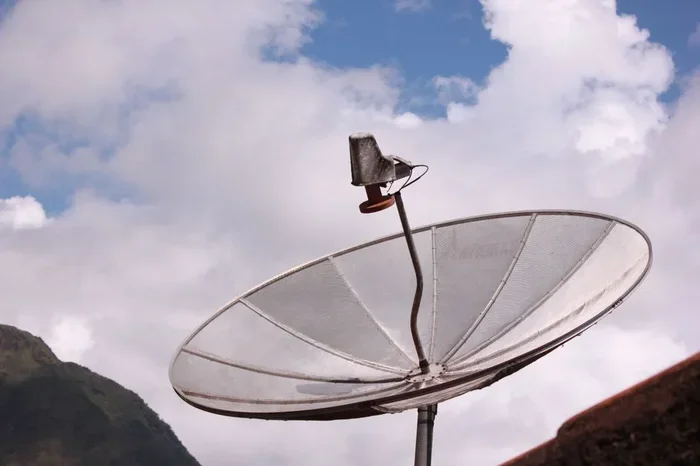
HDTV antennas capture free over-the-air broadcast signals and convert them into the high-definition picture you watch on your TV. Understanding how these devices work helps you choose the right antenna, place it correctly, and enjoy dozens of channels without a monthly subscription. This guide breaks down the science in plain, easy-to-follow language.
If you have ever wondered how HDTV antennas work, you are not alone. Many people assume these simple devices are magic boxes that pull TV shows out of thin air. In reality, they do a very specific job: capturing radio frequency signals and turning them into the video and audio you see on screen.
HDTV antennas have become incredibly popular again as viewers look to cut the cord and save money. Instead of paying for cable or streaming, you can access dozens of over-the-air channels for free. But to get the best results, you need to understand the basics of how these antennas function.
Whether you live in a city apartment or a rural home, this guide will walk you through everything you need to know. We will cover signal types, antenna designs, placement tips, and common setup mistakes.
Key Takeaways
- HDTV antennas pick up RF signals from broadcast towers and turn them into watchable video and audio.
- UHF and VHF frequency bands carry most over-the-air channels, and different antennas handle each band differently.
- Proper antenna placement and direction toward the broadcast tower dramatically improve signal strength.
- An antenna amplifier can boost weak signals, especially for homes far from transmission towers.
- Indoor and outdoor antennas each have pros and cons depending on your location and signal environment.
- A digital tuner in your TV is essential for decoding the signal into HD picture quality.
📑 Table of Contents
What Is an HDTV Antenna?
An HDTV antenna is a device designed to receive television broadcast signals transmitted from nearby towers. These signals travel through the air as electromagnetic waves, and the antenna captures them using its metal elements or loops.
The captured signal then travels through a coaxial cable into your television or a digital converter box. Your TV’s built-in digital tuner decodes that signal into the picture and sound you enjoy. The entire process happens in milliseconds, which is why you can flip channels so quickly.
There are two main types of antennas you will encounter:
- Indoor antennas — These sit inside your home and are easy to set up. They work well in areas with strong signal coverage.
- Outdoor antennas — These mount on your roof or a mast and offer better signal reception over longer distances.
Indoor vs. Outdoor Antennas
Indoor digital antennas are compact and convenient. You can place them on a bookshelf, window sill, or even mount them flat against a wall. However, walls, furniture, and other obstacles can weaken the signal strength. If you live close to broadcast towers, an indoor model often works great.
Outdoor antennas deliver superior performance because they sit above obstructions. They also have a higher antenna gain, meaning they can pull in weaker signals from farther away. The trade-off is that installation takes more effort and they cost more upfront.
How Broadcast Signals Travel
Understanding how signals move helps you understand how your antenna works. Local TV stations transmit their programming from a broadcast tower. These towers send out RF signals in specific directions across a coverage area.
The signal travels through the air at the speed of light. When it reaches your antenna, the metal elements interact with the electromagnetic wave and convert it into a small electrical current. That current flows through the cable into your TV.
Several factors affect how well your antenna receives these signals:
- Distance from the broadcast tower — The farther you are, the weaker the signal.
- Terrain and buildings — Hills, tall structures, and dense forests can block or scatter signals.
- Weather conditions — Heavy rain or storms can temporarily reduce signal quality.
- Antenna direction — Pointing your antenna toward the tower gives you the strongest reception.
UHF and VHF Frequency Bands
TV broadcast signals travel on two main frequency bands: VHF (Very High Frequency) and UHF (Ultra High Frequency). Most modern OTA television channels use UHF, but some stations still broadcast on VHF.
VHF signals have longer wavelengths, which means they travel farther but are more prone to interference. UHF signals carry more data, which is why most HD channels use this band. A good HDTV antenna needs to handle both bands if you want access to the full channel lineup in your area.
Before buying an antenna, check which channels are available in your location. Websites like AntennaWeb or FCC.gov let you search by zip code. This tells you which towers are near you and what frequencies they use.
Why Band Compatibility Matters
Some antennas only pick up UHF signals. Others cover both UHF and VHF. If you buy a UHF-only antenna in an area with VHF stations, you will miss those channels entirely. Always confirm that the antenna you choose supports the bands used by your local broadcast towers.
The Role of the Digital Tuner
Your antenna captures the raw signal, but it cannot decode it on its own. That job belongs to the digital tuner inside your television. Every modern TV made after 2007 includes a built-in digital tuner, which is what makes over-the-air viewing possible without extra equipment.
The tuner takes the electrical current from the antenna and converts it into digital video and audio. This is what gives you the sharp, high-definition picture that HDTV antennas are known for. Without a working digital tuner, the signal is just raw data — nothing you can watch.
If you have an older TV without a digital tuner, you will need a digital converter box. This small device sits between the antenna and the TV and handles the decoding for you.
Tips for Improving Signal Reception
Getting the best picture from your HDTV antenna depends on a few practical steps. Here are tips that actually make a difference:
- Place the antenna near a window facing the broadcast tower for the clearest path.
- Elevate the antenna as high as possible. Higher placement reduces interference from furniture and walls.
- Rescan for channels after moving the antenna. Your TV saves channel data, and a new position may unlock new stations.
- Use an antenna amplifier if you live far from towers or have long cable runs. This boosts the signal strength before it reaches your TV.
- Avoid placing the antenna near electronics that generate electromagnetic interference, like microwaves or Wi-Fi routers.
Quick Tip: Try the “Beer Can” Trick
Some users report better UHF reception by attaching a small piece of aluminum foil or a modified soda can behind the antenna elements. While this is not a guaranteed fix, it costs nothing to try and can make a noticeable difference in weak signal areas.
Common Mistakes to Avoid
Many people buy an antenna and expect perfect results right away. That rarely happens. Here are mistakes that hurt your signal reception:
- Ignoring the broadcast tower direction. If you point your antenna the wrong way, you will get weak or no signal.
- Choosing an antenna based on price alone. A cheap indoor model may not have the gain or band coverage you need.
- Placing the antenna behind a TV or in a closet. Obstructions block the signal before it even reaches the antenna.
- Forgetting to rescan channels. After any move or adjustment, always run a channel scan so your TV updates its lineup.
- Assuming all antennas are the same. Different designs serve different purposes. A directional antenna focuses on one direction, while a multi-directional antenna pulls in signals from several angles.
Conclusion
HDTV antennas work by capturing broadcast signals from nearby towers and sending them to your TV for decoding. The process relies on frequency bands, antenna design, proper placement, and a functioning digital tuner. Once you understand these basics, you can make smarter choices about which antenna to buy and where to place it.
The beauty of over-the-air television is its simplicity and zero monthly cost. With the right digital antenna and a bit of patience, you can enjoy free HD channels in stunning quality. Start by checking your local broadcast towers, pick a compatible antenna, and follow the placement tips in this guide. You will be watching free HDTV in no time.
Frequently Asked Questions
Do HDTV antennas really work for free TV?
Yes, they absolutely do. As long as broadcast towers are within range of your home, an HDTV antenna captures those signals for free. You just need a TV with a digital tuner and a coaxial cable to connect everything.
What is the difference between UHF and VHF signals?
UHF signals carry more data and are used for most HD channels. VHF signals travel farther but are more vulnerable to interference. A good digital antenna should support both bands for the best channel lineup.
How far can an HDTV antenna reach?
This depends on the antenna type and your local terrain. Most indoor antennas work within 30 miles of a tower. Outdoor antennas can reach 60 miles or more, especially with a signal amplifier boosting weak reception.
Do I need an antenna amplifier?
You only need one if you live far from broadcast towers or have a long cable run. An amplifier boosts signal strength and can improve picture quality in weak signal areas. If you already have strong reception, an amplifier is not necessary.
Can I watch local news and sports with an antenna?
Absolutely. Local stations broadcast their news, weather, and sports coverage over the air for free. An HDTV antenna gives you access to these channels without any subscription or monthly fee.
Will an HDTV antenna work with a smart TV?
Yes, all smart TVs made since 2007 include a built-in digital tuner. You just connect the antenna to the coaxial input, run a channel scan, and start watching free over-the-air channels. No extra equipment is needed.