

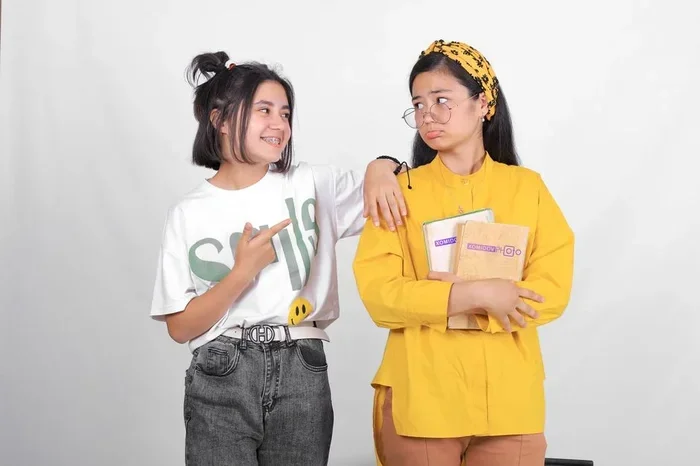
Adding fake braces to a picture online is simple, fun, and free. You can use apps, websites, and photo editors to create hilarious braces overlays in just minutes. This guide shows you the best tools, step-by-step methods, and tips for getting the most realistic fake braces on your photos.
Key Takeaways
- Multiple free tools exist: Apps and websites make it easy to add fake braces to a picture without any skill.
- Quick process: Most fake braces edits take under five minutes from start to finish.
- Realistic results: Choosing the right overlay and positioning makes a big difference in how natural your fake braces look.
- Social media friendly: Braces photo edits are a popular trend on platforms like TikTok and Instagram.
- No dental risk: Fake braces on photos are purely for fun and carry zero health risks.
- Customizable options: You can adjust color, size, and placement to match your style.
📑 Table of Contents
How Do I Add Fake Braces to a Picture Online?
Want to join the braces photo trend? Adding fake braces to a picture online is easier than you think. Whether you want to prank your friends or just have fun with your smile, you do not need any fancy skills. A few clicks and you can transform any photo into a hilarious braces meme.
The process works on both computers and phones. You pick a tool, upload your photo, and place the braces overlay on your teeth. It is quick, free, and surprisingly fun. Let us walk through everything you need to know.
Why People Love Fake Braces Photos
The braces trend has taken social media by storm. People use fake braces on photos to look like they are getting a smile makeover. Some use them for comedic effect. Others use them to preview what they might look like with real dental braces.
Whatever the reason, the fake braces photo edit is a lighthearted way to play with your image. It is not meant to replace real orthodontic treatment. It is just a fun way to experiment with your look.
Best Tools to Add Fake Braces to a Picture
You have many options when it comes to photo editing tools for fake braces. Here are the most popular ones people use every day.
Mobile Apps
Phone apps make it super easy to add fake braces to a picture on the go. Here are some top picks:
- FaceApp: Offers a braces filter that looks very realistic.
- Snapchat: Has several braces lenses you can try in real time.
- YouCam Makeup: Includes dental accessories and braces stickers.
- Braces Photo Editor (Android/iOS): Built specifically for this purpose.
Online Websites
If you prefer using a browser, these websites work great:
- Canva: Lets you upload a photo and add braces graphics manually.
- PhotoRoom: Offers easy overlay tools for braces images.
- Pixlr: A free online photo editor with sticker features.
Desktop Software
For more control, desktop tools like GIMP or Adobe Photoshop give you full editing power. You can resize, rotate, and blend the braces overlay perfectly.
Step-by-Step: How to Add Fake Braces to a Picture
Follow these simple steps to create your own fake braces photo edit:
- Pick your tool: Choose an app or website from the list above.
- Upload your photo: Select a clear front-facing shot where your teeth are visible.
- Find the braces overlay: Look for a braces sticker or filter in the tool.
- Position the braces: Drag and place the fake braces over your upper teeth.
- Adjust the size: Make sure the braces fit naturally. Resize if needed.
- Save and share: Export your edited photo and share it wherever you like.
It really is that simple. The key is to pick a photo with good lighting and a clear view of your teeth. That way, the braces overlay looks natural and convincing.
Tips for Realistic Fake Braces Photos
Want your smile makeover photo to look extra believable? Try these tips:
- Use a front-facing photo: Side angles make it harder to place braces correctly.
- Choose a close-up shot: Photos where your teeth take up more of the frame work best.
- Match the brace color: Pick a color that suits your skin tone or personal style.
- Blend the edges: If your tool allows it, soften the edges of the overlay for a natural look.
- Keep it fun: Do not stress about perfection. The whole point is to have a good time.
Common Mistakes to Avoid
Here are some common mistakes people make when editing fake braces onto photos:
- Using a blurry photo: This makes the braces overlay look messy and unrealistic.
- Wrong sizing: Overly large or small braces break the illusion quickly.
- Poor positioning: Placing braces too high or too low on the teeth looks awkward.
- Ignoring lighting: Dark photos make it hard to see where the braces should go.
- Forgetting to save: Always save a copy before closing the editor!
Expert Insights on Braces Photo Trends
Social media experts say the braces photo edit trend taps into a love for playful self-expression. According to digital marketing professionals, these kinds of fun filters boost engagement because they invite interaction and sharing. People love to tag friends and compare their fake braces looks.
However, experts also remind users to be mindful. While fake braces on photos are harmless fun, they should never be confused with real orthodontic care. If you have dental concerns, always consult a licensed dentist or orthodontist.
Is It Safe to Use Fake Braces on Photos?
Absolutely. Adding fake braces to a picture online carries no physical risk. There is no contact with your teeth or gums. It is purely a digital image edit, much like any other photo filter or sticker. You can experiment freely without any worries.
Just remember that some apps may collect data. Always check the privacy policy of any app or website you use. Stick to trusted, well-known tools for the safest experience.
Conclusion
Adding fake braces to a picture online is a fun and creative way to play with your photos. With free apps, websites, and simple step-by-step methods, anyone can create a hilarious braces edit in minutes. Use our tips to get realistic results, avoid common mistakes, and have a great time with it.
Whether you are pranking friends, trying a smile makeover, or just joining a social media trend, fake braces photo edits bring a smile to everyone. So grab a photo, pick a tool, and start editing today!
Frequently Asked Questions
Can I add fake braces to any photo?
Yes, you can add fake braces to most photos. Photos with a clear view of your front teeth work best. Make sure the image is well-lit and not blurry for the most realistic result.
Are fake braces photo apps free to use?
Most apps and websites that let you add fake braces to a picture are free. Some may offer premium features, but the basic fake braces overlays and filters are usually available at no cost.
Can fake braces on photos damage your teeth?
No, fake braces on photos are completely safe. They are digital edits with no physical contact. There is no risk to your teeth or gums whatsoever.
What is the best app for fake braces on pictures?
FaceApp and Snapchat are among the most popular choices. They offer realistic braces filters that are easy to use. YouCam Makeup and dedicated braces photo editor apps are also great options.
How long does it take to add fake braces to a picture?
It usually takes less than five minutes. Once you pick your tool and upload a photo, the process is fast and straightforward. Even beginners can create a great result quickly.
Are fake braces photos appropriate for social media?
Yes, they are a popular and fun trend on platforms like Instagram and TikTok. Just be mindful of the context and make sure your audience understands it is a playful edit and not real orthodontic treatment.