

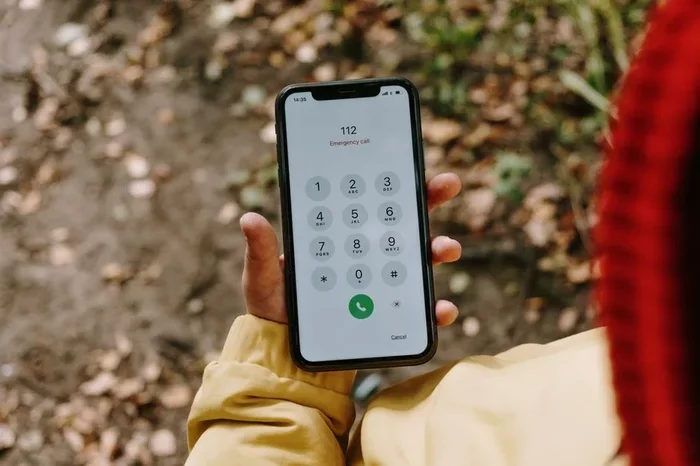
Want to know how to forward T-Mobile cell phone calls? You can easily set up call forwarding using simple dial codes, the T-Mobile app, or your phone settings. This guide walks you through every method so you never miss an important call again. Whether you need unconditional forwarding or conditional forwarding, we have you covered with clear, simple steps.
Have you ever needed to forward T-Mobile cell phone calls to another number? Maybe you are traveling, switching phones, or just want your calls to ring somewhere else. Whatever the reason, call forwarding is a handy feature that keeps you connected no matter where you are.
Setting up call forwarding on your T-Mobile device is simpler than most people think. You can do it with a few quick dial codes, through the T-Mobile app, or right from your phone settings. In this guide, we walk you through every method step by step. By the end, you will know exactly how to forward calls and manage them like a pro.
Let us dive in and explore all the ways you can keep your calls routed exactly where you need them.
Key Takeaways
- Multiple Methods Available: You can forward T-Mobile calls using dial codes, the T-Mobile app, or your phone settings.
- Different Types Exist: Understand unconditional, busy, no-answer, and conditional call forwarding options.
- Easy to Activate and Deactivate: Turning call forwarding on and off takes just a few seconds.
- Works Across Devices: These methods work on both Android and iPhone devices.
- Troubleshooting Tips Included: Learn how to fix common call forwarding issues quickly.
- No Extra Fees Required: Basic call forwarding is typically included with your T-Mobile plan.
📑 Table of Contents
What Is Call Forwarding on T-Mobile?
Call forwarding is a wireless carrier feature that redirects your incoming calls to a different phone number. When someone calls your T-Mobile number, the call automatically goes to the number you have set up. This is incredibly useful when you cannot answer your phone directly.
T-Mobile supports several types of call forwarding. Each type serves a different purpose. You can forward all calls unconditionally, or you can set rules based on specific situations. Let us look at the main types next.
Unconditional Call Forwarding
This forwards every single call to your chosen number. It does not matter if your phone is on, off, or busy. All calls go straight to the forwarding number. This is great when you know you will be away from your device for an extended period.
Conditional Call Forwarding
Conditional forwarding only works in specific situations. You can set it to forward calls when your line is busy, when there is no answer, or when your phone is unreachable. This gives you more control over how your incoming calls are handled.
How to Activate Call Forwarding on T-Mobile
Activating call forwarding on T-Mobile is quick and easy. You have a few different ways to do it. Pick the method that works best for you.
Method 1: Use Dial Codes
The fastest way to forward T-Mobile cell phone calls is by using dial codes. These are simple number sequences you enter right from your phone dialer. Here is how it works:
- Unconditional Forwarding: Dial 72, then enter the forwarding phone number. Press call and wait for confirmation.
- Busy Call Forwarding: Dial 90, then enter the forwarding number.
- No Answer Forwarding: Dial 92, then enter the forwarding number.
- Deactivate Any Forwarding: Dial 73 to turn off unconditional forwarding.
Once you enter the code and the forwarding number, you will hear a confirmation tone or message. Your T-Mobile account will now route calls to that number automatically.
Method 2: Use the T-Mobile App
The T-Mobile app makes managing your call settings a breeze. Here is what to do:
- Open the T-Mobile app on your phone.
- Log in to your T-Mobile account.
- Go to the Settings or Account menu.
- Look for the Call Forwarding option under phone settings.
- Toggle it on and enter the number you want calls forwarded to.
- Save your changes.
This method is perfect if you prefer a visual interface over dialing codes. It also lets you manage your settings from anywhere with internet access.
Method 3: Use Your Phone Settings
Both Android and iPhone devices let you set up call forwarding directly from the phone settings menu. On most phones, go to Settings, then look for Calls or Phone settings. You will find a Call Forwarding option where you can enter the forwarding number and choose the type of forwarding you want.
Different Types of Call Forwarding You Should Know
Understanding the different forwarding options helps you choose the right setup for your needs. Each type serves a specific purpose and works differently.
| Type | What It Does | Dial Code |
|---|---|---|
| Unconditional | Forwards all calls immediately | 72 |
| Busy | Forwards when your line is in use | 90 |
| No Answer | Forwards when no one picks up | 92 |
| Not Reachable | Forwards when phone is off or out of network | 94 |
You can activate multiple types at the same time. For example, you might set up no-answer forwarding and busy forwarding together. This ensures you never miss a call no matter what happens.
Quick Tips for Managing Call Forwarding
- Always double-check the forwarding number before saving.
- Turn off forwarding when you return to your normal routine.
- Use the T-Mobile app to manage settings on the go.
- Check your T-Mobile account online to verify active forwarding rules.
Troubleshooting Common Call Forwarding Issues
Sometimes call forwarding does not work as expected. Do not worry. Most issues have simple fixes. Here are the most common problems and how to solve them.
Calls Are Not Being Forwarded
If your T-Mobile cell phone calls are not forwarding, first check that you entered the correct dial code. A single wrong digit will prevent the forwarding from activating. Also make sure your forwarding number is correct and active.
Forwarding Keeps Turning Off
Some phones reset call forwarding after a restart. To fix this, go to your phone settings and set the forwarding to stay active. On the T-Mobile app, make sure to save your settings properly. You can also contact T-Mobile support if the issue persists.
You Hear a Strange Tone When Dialing Codes
If you hear a fast busy tone after entering a forwarding code, your SIM card may not be recognized properly. Try restarting your phone or removing and reinserting the SIM card. This usually resolves the issue quickly.
Final Thoughts
Knowing how to forward T-Mobile cell phone calls gives you peace of mind. Whether you are on vacation, working from a different number, or just need your calls answered by someone else, call forwarding keeps you connected. The dial codes are fast, the T-Mobile app is convenient, and your phone settings give you full control.
Take a few minutes today to set up call forwarding on your T-Mobile line. You will be glad you did the next time you cannot answer your phone. Stay connected and never miss an important call again.
Frequently Asked Questions
Is there a fee for call forwarding on T-Mobile?
Most T-Mobile plans include basic call forwarding at no extra cost. However, some advanced features or international forwarding may come with additional charges. Check your plan details or contact T-Mobile to confirm what is included in your specific plan.
Can I forward T-Mobile calls to a landline number?
Yes, you can forward your T-Mobile cell phone calls to any active phone number, including landlines. Just use the dial code method and enter the landline number when prompted. The call will be routed just like it would to a mobile number.
Will the person calling me know my calls are forwarded?
No, the caller will not notice any difference. Their call will ring normally on the forwarding number. There is no indicator or message that tells the caller the call has been forwarded.
How do I deactivate call forwarding on T-Mobile?
To deactivate unconditional call forwarding, dial *73 from your phone. For other forwarding types, you can use the T-Mobile app or go to your phone settings and toggle the forwarding off. You can also call T-Mobile customer service for help.
Can I forward calls internationally with T-Mobile?
Yes, you can forward T-Mobile calls to international numbers. However, this may involve additional roaming or forwarding fees. Check with T-Mobile before setting up international call forwarding to avoid unexpected charges on your bill.
Does call forwarding work when my phone is turned off?
Unconditional call forwarding works even when your phone is turned off or out of network range. Conditional forwarding, like no-answer forwarding, will also work if your phone is off. This ensures you never miss a call regardless of your phone status.