

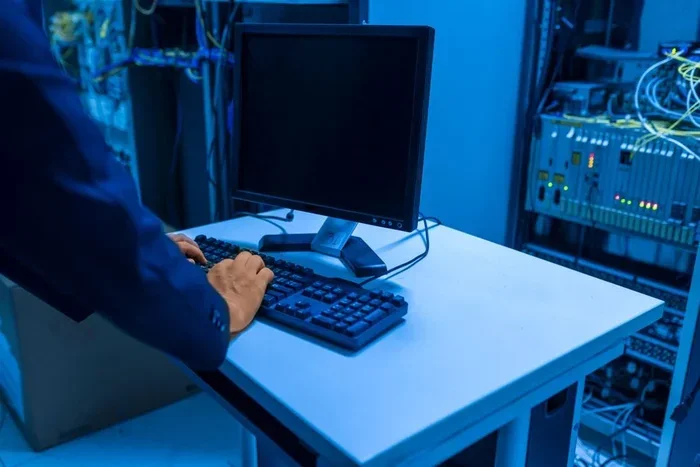
Computers talk to each other using a system of rules called protocols and data transmission methods that send information across networks. Whether through Wi-Fi, Ethernet, or fiber optics, devices exchange data in tiny packets that travel from source to destination. Understanding how computers communicate helps you grasp the basics of the internet, networking, and the digital world around you.
Have you ever wondered how your phone sends a text, how a video loads on your screen, or how two computers across the world share files? The answer lies in how computers communicate. It is a fascinating process that happens in milliseconds, and it powers everything we do online.
At its core, computer communication means devices exchanging data. This data could be an email, a photo, a song, or even a simple command. Computers use a set of rules called network protocols to do this. Think of protocols as a shared language. Without them, devices would just send signals and have no idea what the other side understands.
In this guide, we will break down the entire process in simple terms. You will learn about data transmission, the role of routers and switches, and how wireless signals carry your information. By the end, you will see the internet in a whole new light.
Key Takeaways
- Protocols are the rules: Computers follow specific languages and protocols like TCP/IP to send and receive data.
- Data travels in packets: Every file, message, or image is broken into small packets before being sent across a network.
- Multiple connection types exist: Wired options like Ethernet and fiber optics work alongside wireless methods like Wi-Fi and Bluetooth.
- Routers and switches direct traffic: These devices act as traffic cops, making sure data reaches the right destination.
- Security matters: Encryption and handshake protocols keep your data safe during communication.
- The OSI model simplifies understanding: It breaks networking into layers that make learning easier.
- Client-server architecture powers the web: Most online communication follows this request-and-response pattern.
📑 Table of Contents
What Is Computer Communication?
How do computers communicate with each other? It all starts with data transmission. When you send an email or load a webpage, your computer converts the information into digital signals. These signals travel through cables, air, or light to reach another device.
The process follows a set of steps:
- Breaking data into packets: Your computer chops your message into tiny pieces called packets.
- Addressing packets: Each packet gets an IP address label so it knows where to go.
- Sending packets through the network: Packets travel through routers, switches, and cables.
- Reassembling at the destination: The receiving computer puts all packets back together in order.
This entire process happens in fractions of a second. It is called packet switching, and it is the backbone of modern internet connection technology.
The Role of Protocols in Communication
Network protocols are the rules that govern data exchange. Without protocols, computers would have no way to understand each other. The most important protocol suite is TCP/IP, which stands for Transmission Control Protocol and Internet Protocol.
Here is how TCP/IP works in simple terms:
- TCP breaks data into packets and ensures they all arrive correctly.
- IP handles addressing and routing so packets reach the right destination.
Another key concept is the handshake. Before two computers share data, they perform a handshake to agree on connection terms. Think of it like two people greeting each other before starting a conversation. This step ensures a smooth and reliable data transfer.
Common Protocols You Use Every Day
You use communication protocols more often than you think:
- HTTP/HTTPS: Powers websites and keeps your browsing secure.
- FTP: Transfers files between computers.
- SMTP: Sends your emails across the world.
- DNS: Translates website names into IP addresses your computer can read.
Wired vs. Wireless Communication
How computers communicate also depends on the type of connection. There are two main categories: wired and wireless communication. Each has its own strengths.
Wired Connections
Wired connections use physical cables to transmit data. They tend to be faster and more stable.
- Ethernet: The most common wired network connection used in homes and offices.
- Fiber Optics: Uses light to send data at incredible speeds over long distances.
- Coaxial Cable: Often used for cable internet and TV connections.
Wireless Connections
Wireless connections use radio waves and wireless signals to send data through the air. They offer convenience and mobility.
- Wi-Fi: The most popular wireless technology for home and office internet.
- Bluetooth: Connects devices over short distances, like your phone and earbuds.
- Cellular Data: Powers mobile internet through cell towers.
A quick tip: for the best speed and stability, use a wired Ethernet connection when possible. Reserve Wi-Fi for convenience and mobile devices.
Key Devices That Make Communication Possible
Several devices work behind the scenes to keep computer networks running smoothly.
Routers
A router directs traffic between networks. It reads the IP address on each packet and sends it to the correct destination. Think of a router as a traffic cop for your internet connection.
Switches
A network switch connects devices within a local network. It ensures data reaches the right device inside your home or office. Switches are smarter than old hubs because they send data only where it needs to go.
Modems
A modem connects your home network to your internet service provider. It converts signals from your ISP into a format your devices can use.
The OSI Model: Understanding Communication Layers
The OSI model is a framework that explains how data communication works in seven layers. Each layer handles a specific part of the process:
- Physical Layer: The cables and signals.
- Data Link Layer: How devices on the same network talk.
- Network Layer: Routing packets across networks.
- Transport Layer: Ensuring complete data transfer.
- Session Layer: Managing connections between devices.
- Presentation Layer: Formatting data for use.
- Application Layer: The interface you interact with, like a web browser.
The OSI model might sound complex, but it simply organizes the communication process into manageable layers. Each layer depends on the one below it to function.
Security in Computer Communication
As data transmission travels across networks, it faces risks like interception and hacking. Encryption protects your information by scrambling it into unreadable code. Only the intended recipient can unscramble it.
How computers communicate securely today relies on protocols like HTTPS and VPN. These add layers of data protection during network communication. Always look for the padlock icon in your browser to confirm a secure connection.
Client-Server Communication
Most of the internet runs on a client-server model. Your device is the client. It sends a request. The server receives the request and sends back the data. This request-and-response pattern powers everything from web browsing to streaming.
For example, when you type a URL into your browser, your computer (the client) sends a request to the website’s server. The server responds by sending back the webpage data. This entire client-server exchange happens in milliseconds.
Conclusion
How computers communicate is a topic that touches every part of our digital lives. From packet switching and network protocols to routers, switches, and wireless signals, each piece plays a vital role. Understanding these basics gives you a clearer picture of the technology you use every single day.
The next time you send a message or stream a video, remember the incredible journey your data takes. It breaks into packets, travels through cables and air, passes through routers, and arrives at its destination — all in the blink of an eye. Computer communication is truly remarkable, and now you know how it works.
Frequently Asked Questions
What are the main ways computers communicate?
Computers communicate through wired connections like Ethernet and fiber optics, as well as wireless methods like Wi-Fi and Bluetooth. Both approaches rely on network protocols to ensure data reaches its destination correctly.
What is packet switching in computer communication?
Packet switching is the process of breaking data into small packets before sending them across a network. Each packet travels independently and is reassembled at the destination. This method makes data transmission fast and efficient.
Why do computers need protocols?
Protocols act as a shared language that devices use to understand each other. Without them, computers would send signals but have no way to interpret the meaning. TCP/IP is the most widely used protocol suite for internet communication.
What is the difference between a router and a switch?
A router connects different networks and directs traffic between them. A switch connects devices within the same local network. Both are essential for smooth network communication and data transfer.
How does encryption protect computer communication?
Encryption scrambles your data into unreadable code during transmission. Only the intended recipient with the correct key can decode it. This keeps your information safe from hackers during network communication.
What role does the OSI model play in networking?
The OSI model organizes the communication process into seven layers, each handling a specific task. It helps network professionals understand and troubleshoot data communication by breaking complex processes into simple, manageable parts.