

Switching your iPhone to a prepaid plan is easier than you think. You just need to check compatibility, unlock your device, pick a carrier, and activate. This guide walks you through every step so you can ditch the contract and start saving on your monthly bill today.
Wondering how do I change an iPhone to prepaid? You are not alone. Many people want to ditch expensive contracts and switch to a prepaid plan that fits their budget. The good news is that the process is straightforward and takes less time than you might expect.
Whether you want to cut costs, gain more control over your cellular service, or simply try something new, switching to a pay as you go setup is a smart move. This guide covers everything you need to know, from checking compatibility to activating your new mobile phone plan. Let us walk through it together.
Key Takeaways
- Prepaid plans save money: No contracts, no hidden fees, and full control over your spending.
- Compatibility matters: Make sure your iPhone supports the right bands before switching carriers.
- Unlocking is essential: A locked phone won’t work with most prepaid wireless providers.
- Activation is quick: Most carriers let you activate online or in-store within minutes.
- Choose wisely: Compare data, talk and text allowances, and network coverage before committing.
- Avoid common mistakes: Don’t skip backing up your data or checking your account settings first.
📑 Table of Contents
Understanding Prepaid iPhone Plans
A prepaid plan means you pay upfront for your wireless provider service. You add credit, or airtime, to your account before you use it. Once your balance runs out, service pauses until you top up again.
This is very different from a postpaid plan, where you get a bill at the end of each month. With prepaid minutes and data, you always know exactly what you are spending. There are no surprise charges, and you never go over your limit.
Most budget-friendly carriers now offer excellent data plan options. You can find plans with unlimited talk and text, or ones that let you pick exactly how much data you need. This flexibility is one of the biggest reasons people make the switch.
Check Compatibility Before Switching
Not every iPhone works with every carrier. Before you start the carrier switch, you need to make sure your device is compatible. This step saves time and prevents frustration later.
Find Your iPhone Model
Go to Settings, then General, then About. Look for the Model Number. Write it down or take a photo. You will need this when shopping for a prepaid plan.
Check Network Bands
Each carrier uses different network coverage bands. Visit your chosen provider’s website and compare their supported bands with your iPhone model. Most modern iPhones from the iPhone 12 onward work with all major US networks. Older models may have limitations.
Verify Your Phone Is Unlocked
This is the most important step. A locked iPhone can only work with its original carrier. You need an unlock iPhone device to use any service provider you choose.
Step-by-Step Guide to Change Your iPhone to Prepaid
Now that you understand the basics, let us get into the actual process. Follow these steps carefully, and your iPhone prepaid setup will be ready in no time.
Step One: Unlock Your iPhone
Contact your current carrier and request an unlock. Most carriers will unlock your device for free if your account is in good standing and you have paid off any installment plans. Some carriers unlock automatically after a certain period. Once unlocked, insert a SIM card from a different carrier to confirm it works.
Step Two: Choose a Prepaid Carrier
Research different prepaid wireless providers. Look at factors like monthly cost, data limits, network coverage, and customer reviews. Popular options include Mint Mobile, Visible, Cricket Wireless, and T-Mobile Prepaid. Each offers unique phone plan options for different needs.
Step Three: Get a SIM Card
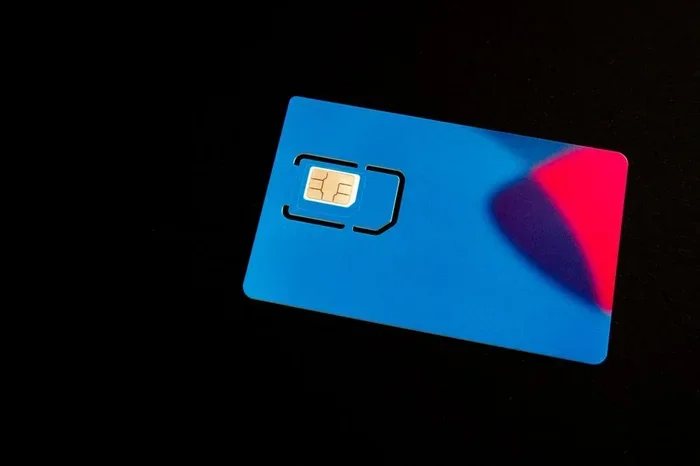
Order a SIM card from your chosen carrier. Many let you pick one up at a retail store, or you can order online and have it shipped to your home. Once you receive it, insert it into your iPhone using the SIM tray.
Step Four: Activate Your New Plan
Follow the carrier’s activation instructions. Most providers let you activate online through their app or website. You will need your account settings, the SIM card number, and your mobile phone details. Activation usually takes just a few minutes.
Step Five: Transfer Your Data
Use iCloud or your carrier’s transfer tool to move your contacts, photos, and apps to your newly activated cellular service. This ensures a smooth transition without losing anything important.
Top Prepaid Carriers Worth Considering
Not all wireless providers are the same. Here are some top options to explore when you decide to switch to prepaid:
- Mint Mobile: Great for people who want low monthly costs and flexible terms. Plans start as low as $15 per month.
- Visible: Offers unlimited data and talk on Verizon’s network. Perfect for heavy data users.
- Cricket Wireless: A reliable AT&T-backed option with solid network coverage and family plan discounts.
- T-Mobile Prepaid: Strong coverage and fast speeds with simple, no-fuss plans.
How to Save Money on a Prepaid Plan
The whole point of switching to prepaid cellular is to save money. Here are some tips to stretch your dollar further:
- Pick the right data amount. Do not pay for data you do not use. Check your usage patterns and choose accordingly.
- Opt for annual payments. Many carriers offer discounts when you pay for 6 or 12 months upfront.
- Use Wi-Fi whenever possible. This reduces your data usage and keeps your airtime balance lasting longer.
- Turn off background app refresh. This simple quick tip can significantly reduce data consumption.
Common Mistakes to Avoid When Switching
Switching carriers can go wrong if you are not careful. Here are mistakes people often make:
- Skipping the backup. Always back up your iPhone before making any changes to your account settings or activation process.
- Ignoring contract obligations. If you still owe on your phone, your current carrier may charge early termination fees.
- Choosing the wrong plan. Do not just pick the cheapest option. Make sure it meets your talk and text and data needs.
- Forgetting to transfer your number. Keep your existing phone number by requesting a port-in during activation.
Conclusion
Switching your iPhone to a prepaid plan is one of the best decisions you can make for your wallet and your mobile phone experience. The process is simple, the savings are real, and the flexibility is unbeatable. Follow the steps in this guide, choose a carrier that fits your needs, and enjoy the freedom of no contract wireless service. You will wonder why you did not switch sooner.
Frequently Asked Questions
Can I keep my phone number when switching to prepaid?
Yes, absolutely. Most wireless providers offer a number port-in service. Simply provide your current phone number during the activation process, and the new carrier will handle the transfer for you.
Will my iPhone work with any prepaid carrier?
It depends on whether your phone is unlocked and which network bands it supports. Always check compatibility before purchasing a SIM card or committing to a prepaid plan.
How much can I save by switching to prepaid?
Savings vary by carrier and plan, but many people save $20 to $50 per month compared to traditional postpaid contracts. Over a year, that adds up to significant savings on your monthly bill.
Is the activation process complicated?
Not at all. Most carriers offer simple online activation that takes just a few minutes. You insert your SIM card, follow the prompts, and your cellular service is ready to go.
What happens if I run out of prepaid credit?
Your service will pause until you add more credit. You can top up your airtime balance anytime online, through the carrier’s app, or at a retail store.
Do prepaid plans include data roaming?
This varies by carrier. Some budget-friendly plans include limited roaming, while others do not. Check the fine print before you travel to avoid unexpected charges on your data plan.