

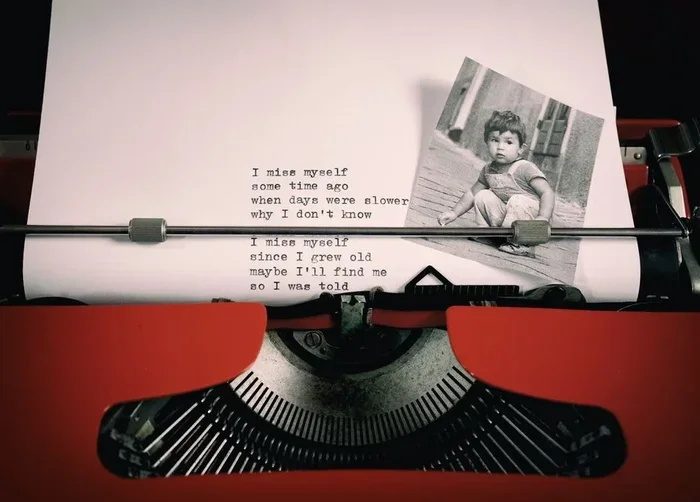
Overlaying a picture with a poem is a creative way to blend visual art and written words into one stunning piece. You can use free tools like Canva, Photoshop, or even phone apps to place your favorite verse directly onto any image. Whether you want to make a gift, share on social media, or explore visual poetry, this guide walks you through every step with simple, practical advice.
Key Takeaways
- Overlaying a picture with a poem is simple and accessible using free or paid tools.
- Canva, Photoshop, and mobile apps make the process easy for beginners and pros alike.
- Choosing the right font, color, and placement is key to a beautiful photo poem design.
- You can create picture with words art for gifts, social media, or personal projects.
- Avoid common mistakes like poor contrast, cluttered layouts, and unreadable text.
- Visual storytelling through image-poem combos is a growing creative trend.
📑 Table of Contents
- What Does It Mean to Overlay a Picture with a Poem?
- Why People Love Combining Images and Poetry
- Tools You Can Use to Create Picture-Poem Overlays
- Step-by-Step Guide to Overlaying a Poem on a Picture
- Tips for Creating Stunning Picture-Poem Designs
- Common Mistakes to Avoid When Overlaying Text on Photos
- Conclusion
What Does It Mean to Overlay a Picture with a Poem?
When you overlay a picture with a poem, you place written words directly on top of an image. The result is a single design that combines visual art and creative writing into one piece. Think of it as a photo poem or visual poetry — a blend of sight and emotion.
This technique has been around for decades. Artists and designers have long known that pairing images with text creates a powerful effect. A photograph sets the mood, and a poem adds depth and meaning. Together, they tell a story that neither could tell alone.
Today, anyone can do this. You do not need to be a professional designer or a published poet. All you need is an image you love, a poem that speaks to you, and the right tool to bring them together.
Why Is This Technique So Popular?
Image and text overlay has exploded in popularity on social media. Platforms like Instagram, Pinterest, and TikTok are full of picture with words designs. People love how a single image can carry both beauty and meaning at the same time.
Here are some reasons this trend continues to grow:
- Emotional impact: A poem adds feeling to a photo instantly.
- Easy sharing: These designs look great on phones and screens.
- Personal gifts: A photo poem makes a heartfelt, unique present.
- Creative expression: It lets you mix two art forms freely.
Why People Love Combining Images and Poetry
Visual storytelling is one of the most powerful ways to connect with others. When you see a beautiful landscape photo paired with a poem about nature, the experience hits differently than just reading the poem or just seeing the image.
This combination works because of how our brains process information. We respond to visuals first — a striking photo grabs attention in under a second. Then the poem on photo gives the viewer something deeper to think about. The two work together to create a complete experience.
People use picture poem art for many reasons. Some create them as wedding favors. Others make them for memorial tributes. Teachers use them in classrooms to inspire students. The possibilities are truly endless.
The Power of Words on Images
There is something magical about seeing words appear inside or over a photograph. The image gives the words context, and the words give the image a voice. This is the core idea behind digital art poem projects.
Even a simple black-and-white photo can come alive when you add a carefully chosen verse. The contrast between the visual and the written word creates tension and beauty. It invites the viewer to pause and reflect.
Tools You Can Use to Create Picture-Poem Overlays
You have many options when it comes to tools for creative photo editing. Some are free, and some cost money. Each has its own strengths, so choosing the right one depends on your skill level and goals.
Canva (Free and Paid)
Canva is one of the most popular tools for beginners. It offers drag-and-drop design features and hundreds of templates. You can upload your photo, add text, and adjust fonts and colors in minutes. Canva works in any browser and on mobile devices.
Adobe Photoshop (Paid)
Photoshop gives you the most control over your design. You can adjust opacity, blending modes, and text effects with precision. It is ideal for designers who want professional-quality results. However, it has a steeper learning curve than Canva.
Mobile Apps
If you prefer working on your phone, several apps make text on image creation easy. Apps like Phonto, Word Swag, and PicsArt let you add poems to photos right from your device. These are perfect for quick, on-the-go projects.
Google Slides or PowerPoint
Did you know you can use presentation software for this? Both Google Slides and PowerPoint let you insert images and text boxes. You can layer text over photos and export the result as an image file. It is a surprisingly effective free option.
Step-by-Step Guide to Overlaying a Poem on a Picture
Follow these simple steps to create your own overlay picture poem design. The process works in most tools, from Canva to Photoshop.
- Choose your photo: Pick an image that matches the mood of your poem. A calm beach scene works well with a peaceful verse. A moody cityscape pairs nicely with something reflective.
- Select your poem: Use a poem you love or write your own. Keep the text short enough to fit comfortably on the image.
- Open your design tool: Create a new project with your photo as the background.
- Add the text: Insert a text box and type or paste your poem. Choose a font that matches the tone.
- Adjust placement and size: Move the text around until it looks balanced. Make sure it is readable against the background.
- Fine-tune colors and effects: Add a text shadow, outline, or semi-transparent background box if needed to improve readability.
- Export and share: Save your design as a PNG or JPG file. Share it online or print it out.
Quick Tips for Better Results
- Use high-resolution images so your final design looks sharp.
- Choose fonts that are easy to read, even at smaller sizes.
- Leave enough white space so the design does not feel crowded.
- Test your design on both desktop and mobile screens before sharing.
Tips for Creating Stunning Picture-Poem Designs
Creating a beautiful overlay picture with a poem takes a little practice. Here are some expert tips to help you get started on the right foot.
Match the mood: The tone of your poem and the feel of your photo should complement each other. A romantic poem on a sunset photo creates a warm feeling. A dark poem on a stormy image adds drama.
Watch your contrast: Make sure the text color stands out clearly from the photo background. Light text on dark areas works well, and dark text on light areas is also effective. If the photo is busy, consider adding a semi-transparent box behind the text.
Keep it simple: Resist the urge to add too many design elements. Let the photo and the poem do the talking. A clean, minimal layout often looks more elegant than a cluttered one.
Experiment with placement: Try putting text in the center, at the bottom, or even wrapping it around the edges of the image. Different placements create different visual effects.
Use visual poetry techniques: Some artists shape their text to follow the contours of the image. This advanced technique creates a truly unique design layout that stands out from standard overlays.
Common Mistakes to Avoid When Overlaying Text on Photos
Even with the best intentions, it is easy to make mistakes when creating image text combination designs. Here are some pitfalls to watch out for.
- Poor contrast: Light gray text on a white background is nearly impossible to read. Always check that your text is clearly visible.
- Too much text: A long poem can overwhelm a photo. Keep it short or break it into sections spread across multiple images.
- Wrong font choice: Decorative fonts may look pretty but can be hard to read. Stick to clean, legible fonts for the main poem text.
- Ignoring alignment: Misaligned text looks messy. Use your tool’s alignment guides to keep everything neat.
- Low-resolution images: A blurry photo will make the entire design look unprofessional. Always start with a crisp, high-quality image.
Avoiding these mistakes will help you create polished, professional-looking poetry art every time.
Conclusion
Overlaying a picture with a poem is a rewarding creative activity that anyone can enjoy. Whether you use Canva, Photoshop, or a simple phone app, the process is straightforward and the results can be breathtaking. You now have the tools, tips, and step-by-step guidance to start creating your own visual poetry today.
Start with a photo that moves you and a poem that speaks to your heart. Experiment with fonts, colors, and layouts. Share your creations with friends and family, or keep them as personal treasures. The beauty of picture poem art is that there are no rules — just your imagination.
So grab an image, find a verse, and start creating. Your next digital art poem could be just a few clicks away.
Frequently Asked Questions
What is the easiest tool to overlay a picture with a poem?
Canva is widely considered the easiest tool for beginners. It is free to use, works in your browser, and offers simple drag-and-drop features. You can upload a photo, add your poem as text, and export the design in minutes.
Can I overlay a poem on a picture using my phone?
Yes, absolutely. Apps like Phonto, Word Swag, and PicsArt let you add text to photos directly on your phone. These apps are free and designed for quick, creative projects on the go.
What type of poem works best for picture overlays?
Short poems work best because they fit comfortably on an image without crowding the design. Haikus, couplets, and short verses are popular choices. The key is to match the poem’s mood with the photo’s atmosphere.
Do I need design experience to create a picture-poem overlay?
No design experience is needed. Most tools today are beginner-friendly and offer templates and guides. With a little practice, anyone can create beautiful visual storytelling pieces using photos and poems.
Can I sell designs I create by overlaying poems on pictures?
Yes, you can sell your designs as long as you have the rights to both the image and the poem. If you use royalty-free photos and original poems, you own full rights to your creative photo editing work.
How do I make the text readable over a busy photo?
Use a semi-transparent background box behind the text, add a text shadow or outline, or place the text over a simpler area of the photo. These design layout tricks ensure your text on image stays clear and easy to read.